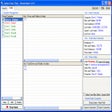
Folder Actions for Windows
- By FolderActions.com
- Trial version
- 1.1
Related software

Unlocker
Solve stubborn file locks fast
Free Folder Password Lock
Fast password locking for private folders
Quick Share from Google
Fast and free cross-device sharing made simple
Canon IJ Scan Utility
Streamlined scanning with smart one-click tools
LocK-A-FoLdeR
A Quick Guide to Unlocking and Hiding the LocK-A-FoLdeR Registry Cleaner
Desktop Goose
Free virtual goose for Windows
Index Your Files
Index Your Files - Speed Up Your Computer's With a Windows XP/Vista Search and Index Tool
Microsoft InfoPath
Microsoft InfoPath - To Customize Windows 10
Free File Unlocker
Locked files handled with ease

Miro
Miro is a free HD video player. It can play almost any video file and offers over 6,000 free internet TV shows and video podcasts. Miro has a simple, gorgeous interface designed for fullscreen HD video. Since Miro downloads most videos, you can take your shows with you, even on an airplane. Quite simply, Miro is a better way to watch all the video you care about. Unlike your browser, Miro's built for HD. The built-in Miro Guide connects you to thousands of free High Definition video shows. Miro downloads video fast and stores it on your local computer for a level of quality that is often impossible on streaming video websites (even the ones that call themselves 'HD'). Can't open a video? Now you can, with Miro. Miro can play virtually any type of video file - Quicktime, WMV, MPEG, AVI, XVID, and more. When it comes to video podcasts, Miro goes far beyond iTunes by letting you subscribe to BitTorrent RSS feeds, with one of the fastest torrent downloaders in the world. Miro makes BitTorrent RSS dead simple-- when a new episode is available, it will download automatically and be ready to watch.
Hot Folder Monitor
Efficient File Management with Hot Folder Monitor
Auto Screen Capture
Automate screenshot capture with Auto Screen Capture