
Fast, flexible sync for important data
FreeFileSync is a backup-focused sync utility built for people who care where their data goes. It compares huge folder trees, shows the differences, and only moves what is needed. With folder comparison by content or timestamp, it makes sure changes are detected reliably without wasting bandwidth or storage.
Once configured, FreeFileSync turns recurring backup tasks into a predictable routine instead of manual drag-and-drop sessions. Profiles remember your choices and can be reused or tweaked as projects evolve. Using two-way and mirror synchronization modes, it can either keep working folders in sync or maintain one-direction archive copies for long-term data safety.
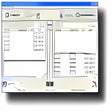
FreeFileSync centers everything around sync plans that show what will be copied, updated, or removed before files move. Picking source and target folders, comparing them, and tweaking directions gives control but needs more thought than one-click backup buttons. With custom update-style sync rules and filters for includes and excludes, the tool can protect archives, ignore noise files, and keep changes flowing between locations, even across large directory trees.
Flexible sync workflows for power users
Data security is handled through options that keep mistakes from becoming disasters. Instead of blindly deleting anything, versioning of deleted or overwritten files can push older copies to a separate location for easy rollback. Conflicts are flagged before sync so nothing is silently lost, while RealTimeSync change-triggered automation can fire batch jobs as soon as files settle, keeping backups closely aligned with active work without constant manual oversight.
For long-term setups, batch jobs for scheduled runs let power users wire the tool into system schedulers or scripts and forget about recurring tasks. There is also support for FTP, SFTP, and cloud storage, so off-site backups live alongside local mirrors. However, always-on sync daemons or cloud-native tools are better suited for constant background replication, but this app excels when controlled, visual, rule-driven sync is the priority, especially on multi-device workflows.
Trustworthy sync engine for everyday backups
FreeFileSync stands out as a practical choice for anyone who wants clear control over how files move, rather than a black box sync daemon. Its preview-driven workflow, flexible sync modes, safety nets around deletions, and automation hooks make the tool well suited for handling serious backup jobs while still feeling approachable for everyday use. Used with regular schedules and sensible profiles, it can anchor a dependable long-term data protection strategy.
Pros
- Preview-first sync plans reduce risky surprises
- Flexible rules and filters suit complex trees
- Strong safety features around deletions and conflicts
- Automation options keep backups closely aligned
Cons
- Requires more upfront thinking than simple wizards
- Not a pure fire-and-forget background daemon