
A dock and wallpaper customization app
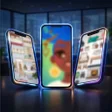
DockWalls - Generate Dock Bar, developed by Along for Android, is a personalization app built around dock bar design, wallpaper effects, and lock screen styling. It gives users a set of visual tools for changing the look and feel of their device interface, with a particular focus on creating a more refined dock area.
The app’s main feature is its dock generator. Users can apply real-time blur effects, icon shadows and lighting, stroke and outline effects, dynamic transition animations, and an advanced iPhone-style dock. These options help make the dock feel more intentional and visually integrated with the rest of the home screen.
Dock bar customization
The iPhone-style dock is especially useful for users who prefer a clean, familiar layout, while the blur, shadow, and outline tools add depth and definition. These features make DockWalls a practical option for users who enjoy detailed home screen customization, though creating the right look may take some time as users adjust different effects and settings.
Wallpaper, lock screen, and visual effects
DockWalls also includes wallpaper tools that extend beyond basic background changes. It supports smart automatic wallpaper switching, eye protection mode, color adjustment, and an oil painting artistic filter. These features give users more ways to adjust the appearance of their device without relying on separate wallpaper apps.
For the lock screen, the app offers effects such as lens effects, glass texture, smart blur, frost effects, creative cutouts, and Voronoi patterns. These additions help create a more stylized lock screen while keeping the app’s focus on visual personalization. Smooth gradient transitions, elegant page switching, and refined edge processing make these visual effects appear cleaner and more cohesive across the interface.
A more expressive Android interface
DockWalls - Generate Dock Bar is a focused Android customization app for users who want a more expressive dock, wallpaper, and lock screen experience. With its range of styling tools and visual enhancements, it gives users flexible ways to personalize their interface and make their device feel more their own.
Pros
- Wide dock customization options
- Creative lock screen effects
- Automatic wallpaper switching
- Smooth visual transitions
Cons
- Customization can take time