
Tag Editor Free: Simple metadata management for macOS
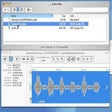
Tag Editor Free, developed by AMvidia, is a tool for editing audio metadata on macOS. The application allows users to edit tags such as ID3 and MP4/M4A metadata and supports batch renaming of files. Its spreadsheet-style interface provides a straightforward way to organize and clean up audio files without unnecessary complexity.
Tag Editor Free extends its core tagging abilities by offering a spreadsheet-style workspace that supports fast, multi-cell operations. Users can correct and refine metadata by applying actions such as cut, copy, paste, undo, and find-and-replace across selected cells or entire columns. This structured layout also makes it easier to identify inconsistencies, such as irregular formatting, mixed casing, or unnecessary characters, and correct them in bulk.
Simplified tag editing and batch renaming
The same spreadsheet interface enhances batch renaming by allowing file names to be standardized based on cleaned or newly applied tags. Both automatic and manual renaming methods are supported, enabling users to adjust filenames in a controlled, uniform way. This integrated workflow reduces repetitive steps and helps users maintain a cleaner, more organized audio collection.
Managing album artwork
Tag Editor Free also makes it easy to update and manage album covers. You can add artwork manually from your files or load it automatically from online sources like MusicBrainz, CoverArt, and AcoustID. This helps keep audio tracks visually organized and ensures albums display the correct artwork across your music apps.
A streamlined solution for organizing audio metadata
Overall, Tag Editor Free offers a clean and efficient way to manage audio metadata on macOS. Its spreadsheet-style layout makes editing tags and renaming files feel intuitive, especially when working with many tracks at once. With tools that simplify cleanup and standardization, the app helps users keep their audio collections organized with less effort and more clarity.
Pros
- Easy spreadsheet-style editing
- Helpful batch renaming tools
- Supports major audio formats
- Built-in metadata cleanup
- Artwork management options
Cons
- Audio formats only
- macOS platform exclusive