
A simple clock that stays within reach
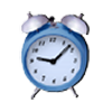
Simple Floating Clock is a lightweight desktop utility designed to keep the time visible without taking attention away from other tasks. It provides a floating clock that can be moved anywhere on the desktop, making it useful when the system clock is too small or inconvenient to check.
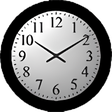
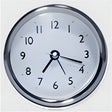
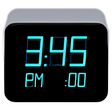
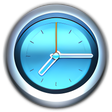
Simple Floating Clock gives users control over how their clock works and appears. It supports analog and digital displays, with options for showing the date, seconds, AM/PM indicator, day of the week, and time zone. Users can also create multiple clocks for monitoring different time zones while working or managing tasks.
Flexible timekeeping for everyday desktop use
Simple Floating Clock keeps its main purpose clear by letting users place a clock wherever it is most convenient. Movable clock placement makes it easy to position the display around other windows, while multiple clock support allows several time zones to remain visible. Users can also choose between analog and digital formats, giving the utility enough flexibility for different viewing preferences without adding unnecessary complexity.
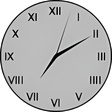
Customization goes beyond choosing a clock format. Adjustable clock size helps make the display easier to read, while custom colors and transparency allow the clock to blend into different desktop setups. Users can also choose different number styles, including Roman and Arabic numbers, dots, or no numbers. Compared with basic desktop clocks, this provides more control while keeping the overall experience simple.
The utility also includes practical behavior settings that make the floating display less intrusive. Behind-window placement keeps the clock from covering active content, while click-through behavior allows users to make the display ignore mouse clicks when needed. Multiple clocks can use different configurations and time zones. However, its limited purpose means users seeking alarms, timers, reminders, or broader productivity tools may prefer alternatives such as other desktop clock utilities.
A practical choice for visible timekeeping
Simple Floating Clock remains useful for anyone who wants a customizable time display without unnecessary features. Its movable placement, analog and digital modes, multiple clocks, time-zone support, and display controls make it more flexible than a standard system clock. Users who only need a lightweight floating clock should find it practical, while those wanting alarms or advanced productivity functions may need another option.
Pros
- Freeware and lightweight
- Supports analog and digital displays
- Allows multiple clocks and time zones
- Offers flexible display customization
Cons
- Limited to basic timekeeping
- Does not focus on alarms or reminders
- Users seeking broader productivity features may need alternatives