
Reliable file transfers for mac users
Fetch from Fetch Softworks is a dedicated file transfer client designed for macOS, offering a clean and approachable way to manage remote files. It supports widely used protocols such as FTP, SFTP, and FTPS, making it suitable for both standard and secure transfers. The interface focuses on clarity and ease of use, helping users handle file operations efficiently without requiring advanced technical knowledge or complex configuration.
Fetch enables users to upload, download, and organize files across local and remote systems using supported protocols. It includes essential tools such as folder creation, file renaming, and deletion, allowing full control over server content. A built-in transfer queue supports multiple simultaneous operations, while resume functionality helps recover interrupted transfers. These features make it dependable for routine file handling, especially when working with remote servers that require consistent and secure access.
Managing transfers with flexible protocol support
Intuitive design for everyday workflows
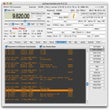
The interface of Fetch emphasizes simplicity with drag-and-drop functionality and clear directory navigation. Users can save frequently used connections for quick access, reducing repetitive setup during regular use. The layout aligns with standard macOS interaction patterns, helping users feel comfortable navigating files and initiating transfers. This design approach keeps the workflow efficient, allowing users to focus on file management tasks rather than learning complex controls or navigating cluttered menus.
Final thoughts
Fetch provides a focused and dependable solution for file transfers on macOS, combining ease of use with support for secure protocols. Its straightforward interface and reliable transfer tools make it suitable for both occasional and regular use. While it does not aim to replace advanced file management platforms, it performs its core function well. It is a practical choice for users who prioritize simplicity, stability, and efficient file transfers.
Pros
- Supports FTP, SFTP, and FTPS protocols
- Clean interface with drag-and-drop functionality
- Reliable transfers with queue and resume support
Cons
- Limited advanced features compared with some alternatives
- Focused primarily on file transfer tasks only