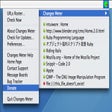
Changes for Mac
- By Changesapp
- Trial version
- 1.5.6
Related software
Changes Meter
Monitor the web or your HD for changes
VLC media player
Exceptional software for multimedia playback
Adobe Acrobat Reader DC for Mac
Master your PDF experience
Audacity for Mac
Audacity is a free, easy-to-use audio editor and recorder for Windows, Mac OS X, GNU/Linux and other operating systems. You can use Audacity to: Record live audio. Convert tapes and records into digital recordings or CDs. Edit Ogg Vorbis, MP3, WAV or AIFF sound files. Cut, copy, splice or mix sounds together. Change the speed or pitch of a recording. Add new effects with LADSPA plug-ins. AC3, M4A/M4R (AAC), WMA and other formats supported using optional libraries. System Requirements: Audacity runs best with at least 1 GB RAM and a 1 GHz processor (2 GB RAM/2 GHz on OS X 10.7 or later). Where Audacity is to be used for lengthy multi-track projects, we recommend a minimum of 2 GB RAM and 2 GHz processor (4 GB RAM on OS X 10.7 or later).
uTorrent Beta
The latest beta version of the best P2P client for Mac
Adobe InDesign
Adobe InDesign CS6 Brings Digital Photography to the Next Level
Visual Studio Code for Mac
Versatile and modern code editor
Mac OS X El Capitan
Refined macOS experience with enhanced productivity
Thunderbird for Mac
Mozilla Thunderbird makes e-mailing safer, faster, and easier with features such as intelligent spam filters, a built-in RSS reader, and quick search. Thunderbird was designed to prevent viruses and to stop junk mail. Thunderbird includes tabbed e-mail, new search tools and indexing, smart folders, support for Firefox, a simplified set-up wizard and robust junk protections that include phishing and spam filters. Key Features Include: Tabbed email. An Archive feature similar to the one found in GMail. Lightning fast search. Smart folders. Thunderbird has junk mail tools that have been updated to stay ahead of spam and features anti-phishing protection. Looking for the Windows version of Thunderbird? Download Here

Google Earth Pro for Mac
Google Earth has literally changed the way we look at our own planet. With Google Earth Pro Fly you can pretty much go anywhere you can think of to view satellite imagery, maps, terrain, 3D buildings, the list goes on. Recent additions include galaxies in outer space, canyons of the ocean, art galleries and ski runs. Key Features include: See global changes with decades of historic imagery If you've ever wondered how your neighborhood has changed throughout time, Google Earth now gives you access to the past. With a simple click, check out suburban sprawl, melting ice caps, coastal erosion, and more. Dive beneath the surface of the ocean In the new ocean layer, you can plunge all the way to the floor of the sea, view exclusive content from partners like BBC and National Geographic, and explore 3D shipwrecks like the Titanic. Track and share your paths with others Take placemarks a step further and record a free-form tour in Google Earth. Simply turn on the touring feature, press record, and see the world. You can even add a soundtrack or narration to personalize the journey. You can explore rich geographical content, save your toured places, drop pins to mark locations and share with others. Some older Mac users may find Google Earth Pro for Mac slow to load, as will those with lower bandwidth connections. People trying to stream music or movies on the same connection as you will probably pull their hair out as Google Earth dominates the available bandwidth.
Numbers
Execute office tasks efficiently
Pixillion Mac Image Converter
Pixillion for Mac is an application that allows you to easily convert image files and digital photos between all popular file formats. It is possible to convert or compress thousands of photos all at once with the one-click batch conversion feature.Key features include:Convert between all popular image file formats.Rotate and resize images.Add a watermark to your images.Adjust the quality of your jpeg files.Use the right-click menu to convert images, or drag and drop digital photos into Pixillion.Add text captions to your digital photos and images.Batch converts thousands of files at once.Digital photo compression software makes file sizes much smaller. You can also resize your images, add watermarks and text captions and preview any changes before making the final edit.Once you are happy with the changes made to your images, they can then be shared on the web, emailed to family and friends or displayed on your mobile phone.Free for non-commercial use: A pro edition with additional features, including batch converting and watermarking images is also available from NCH Software.