System Vault for Windows
- By Luqsoft
- Free
- 1.16
Related software

Kaspersky Total Security
Persistent shield in the digital world

Norton AntiVirus Plus
Security, scans, and backup
SanDisk SecureAccess
Secure storage with dependable file protection

Disk Drill For Windows
Disk Drill, the famous Mac data recovery app, is now available for Windows. Disk Drill is a free professional-grade file recovery software, that values the importance of your data by implementing several safe recovery methods and enabling unique Recovery Vault technology that helps keeping your data secure. As long as your hard drive is not physically damaged, then Disk Drill will make sure you can easily recover files of all formats from NTFS, FAT, HFS/HFS+, EXT2/EXT3/EXT4 or even formatted, damaged or deleted partitions. Disk Drill's multiple recovery algorithms include Quick and Deep Scans, Universal Partition Search, and undeletion of protected data. Recovery process is simple, its progress can be paused, saved and loaded when it's convenient to you. Disk Drill works by reading and recovering from any media that can be mounted into your Windows PC: internal or external hard drives, memory cards, cameras, USB flash drives, Kindles and even some iPods. Once scanning is complete, you are presented with a tree-like list of recoverable items that includes found files and folders and reconstructed files. Disk Drill can easily rebuild hundreds of various file types: documents, pictures, archives, videos and more. So whether you have accidentally deleted data, emptied your Recycle Bin, suffered the effects of a virus attack, have a lost or inaccessible partition, experienced power failure or boot record corruption, you can be confident that Disk Drill will make the necessary recoveries. It also comes with the following easy-to-use extra features: Backup image creation Data protection Bad sectors management All of these features, combined with a polished user-friendly interface, mean that Disk Drill is a great choice if you are looking for an effective data recovery tool.

Keeper Commander
Comprehensive CLI Tool for Password Management

EasyConnect
Tabbed remote access made simple

Total AV
Reliable security made simple
Cryptainer LE
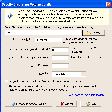
Cryptainer LE is able to protect your confidential data by creating a secure vault on your system. To use it couldn't be easier; simply drag and drop your files that you want to encrypt into the vault. When you drag them outside of the vault, you can decrypt them and use them as normal. You can use Cryptainer LE on Any Windows PC, Desktop, Laptop, Hard Disk or Removable Drive such as a USB Flash Drive, or a Memory Stick. Key Features include: Simple drag and drop operation. 448 bit strong encryption. Creates an encrypted volumes. Fast encryption. Storage flexibility. Standard Windows functionality. Easy to use interface. Cryptainer LE uses powerful 448 bit encryption, and can create multiple 100 MB encrypted vaults on your hard disk. These encrypted drives can be loaded and unloaded as often as you need to. All by using a single password. With Cryptainer LE you can use these encrypted drives on your hard disk in just that same way as any other regular drive on your computer. Cryptainer LE is really easy to use and has a simple, explorer style interface with standard drop down menus. Not only is it easy to operate, but it is flexible as well, and can be installed directly on a USB/removable drive as a ‘stand alone’ install. Overall, Cryptainer LE is a comprehensive security solution that encrypts any data, any disk, drive, file, folder on any Windows based PC. It has a simple interface and is able to decrypt files on the fly. The only downside we can see, is the slightly dated interface. It's fully functional, however lacks some of the modern feel that other encryption tools have.

Only Up!
Scaling the cityscape with gravity-defying leaps

BitRecover Vault Converter Wizard
Efficient Data Management with Vault Converter Wizard
SSH Vault for Visual Studio Code
SSH Vault for Visual Studio Code
Advanced Password Manager
Advanced Password Manager is a fairly lightweight app that is able to detect and delete identity traces from your computer system after saving them to an encrypted vault secured by one master password. Key Features include: One password to unlock all your accounts. Saves your time by auto-filling forms. Deletes all potential security traces. Automatically sync your saved details across browsers. With Advanced Password Manager installed, you can protect all manner of different types of data, including your passwords, auto-fill login credentials, securely save your online accounts, sync passwords, credit card details and more. You can even generate strong passwords as well. The app securely locks your personal and financial information, so that you can unlock them using your own master key. With multiple passwords and login details to remember these days, with e-mail, social networking sites, blogs, forums etc. it can become difficult to keep track of them all. This is where the tendency to use the same password for all your accounts is unsecure and unsafe, because if someone obtains the password, all your accounts can be hacked without your notice. Overall, Advanced Password Manager is not that bad a solution to secure your digital life. It does have a few drawbacks, however. The interface is not that intuitive and there are a few annoying popup windows which appear for toll free support numbers to call. Apart from that, the basic design is ok, and it doesn't consume large amounts of system resources.