Creating and editing help files efficiently
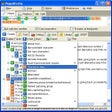
CHM Editor is a documentation utility built to create, edit, and organize Microsoft Compiled HTML Help files through a structured and easy-to-navigate workspace. It is widely used by software developers, technical writers, and support teams who need to produce user manuals, help guides, and technical references, making it more accessible.
Users choose CHM Editor because it brings content editing, project organization, and help-file compilation together in one workspace. This approach simplifies documentation workflows, whether updating existing CHM projects or building new help systems, helping users maintain documentation with greater efficiency and consistency.
CHM Editor simplifies documentation through integrated CHM project editing, allowing users to create, organize, and modify help files from one centralized workspace without manually managing individual project components. This approach improves consistency across documentation while reducing time spent maintaining large help systems. Compared with HelpNDoc, the software delivers a more focused environment dedicated specifically to CHM authoring, editing, and long-term project maintenance.
Documentation management for CHM development
Beyond editing capabilities, built-in project compilation tools enable users to generate updated help files immediately after making documentation changes, eliminating the need for separate compilation software. This integrated workflow improves efficiency when maintaining user manuals, technical guides, and software documentation. Compared with Adobe RoboHelp, the software prioritizes straightforward CHM production while providing fewer advanced publishing and multi-format documentation features for enterprise-level projects.
Users maintaining technical documentation may appreciate structured content organization, especially when working with multiple topics, navigation trees, and indexed reference materials. These tools help keep large documentation projects organized and easier to update over time. Although the interface reflects its specialized purpose, the streamlined workflow remains approachable for users focused on CHM authoring. Compared with MadCap Flare, it delivers a simpler experience for dedicated help-file creation.
A dependable solution for CHM authoring
CHM Editor remains a practical choice for developers and technical writers who need reliable tools for creating and maintaining Microsoft CHM help files. Its integrated editing environment, project compilation features, and structured content management simplify documentation workflows while reducing reliance on multiple utilities. Although it offers fewer publishing options than larger documentation suites, the software continues providing an efficient solution for dedicated CHM development.
Pros
- Specialized CHM editing workflow
- Integrated project compilation tools
- Organized documentation management
- Easy to maintain existing help projects
Cons
- Focused mainly on CHM format
- Fewer publishing options than larger suites
- Interface may feel dated to new users