
Related software
FreeMind
FreeMind is intended for editing Mind maps, XML/HTML documents, and directory trees. The data is presented to the user as a Mind map. This is achieved with a modular design, which makes it possible to easily write modules, only designing the model of the problem (the data structure), without needing elaborate visual representations. Key features include: Fully functional following of HTML links stored in the nodes, be it web links or links to local files. FreeMind supports folding, which is its essential property. You can move the map by dragging the map's background as well as using mouse wheel. Export of Mind maps to HTML, with folding. Possibility to use and edit long multi-line nodes; even with newlines. File mode enables you to browse the files on your computer, seeing the folder structure as mind map. Smart copying and pasting, including plain text and RTF (MS Wordpad, MS Word, MS Outlook messages). Pasting of links from HTML or structuring the pasted content on the basis of the number of leading spaces in a line Possibility to decorate nodes with built-in icons, colors and different fonts. Find facility with folding support. FreeMind is a good tool to use, if you are not that great at keeping track of projects. It allows you to view sub-tasks, state of sub-tasks and time recording. It has a number of handy tools, such as the ability to view collections of small or middle sized notes, with or without expandable links. Although FreeMind has a OK user interface that is fairly intuitive and well organized, the functionality has a number of weak issues; such as adding pictures in nodes. Apparently, this is in a preliminary stage, and subsequently, if you need to have a portable Mind map with full images, you are going to struggle, unless you carry those image files with you. Overall, FreeMind is good tool to allow you to visualize a project, but it is quite a complex application that could do with a fresh interface and some attention to core functions.
Auslogics Disk Defrag Touch
Auslogics Disk Defrag Touch is disk defragger that has been built for touch-screen computers with a Windows 8 feel to it. It works perfectly well with a mouse and keyboard as well. The app’s Windows 8-esq interface is good to work with, taking up your full screen. It uses a similar bold looking interface, and the layout for its options is almost the same too. You are able to swipe left or right on a touch screen interface, spin the mouse wheel or drag your mouse left or right to view other areas. The defragging works in the same way that a standard defrag tool operates: simply choose a drive; analyze it, launch either a quick or full defrag, and then sit back as the usual drive map shows the progress as it happens. Auslogics Disk Defrag Touch performs very well, even using the ‘Optimize Programs’ section. This scans and defragments files that relate to particular apps only. If you like to tweak your registry defray tools to just how you like them, then this app doesn’t disappoint. You can set it to delete temporary files before defragging, thereby speeding up the process. You also have the option to skip large file fragments. This improves defrag speed without making much of a difference to your final system performance. It comes with a useful scheduler, so you can run everything automatically, daily, weekly, monthly, or even when your computer is idle. Overall, Auslogics Disk Defrag Touch is well designed, resembling Windows 8 in almost all aspects. The full screen interface is a tad irksome when used with a mouse though, but it works really well on a touch screen computer. It is relatively lightweight, consumes hardly any system resources and can be navigated by users of all levels of expertise.
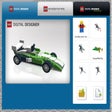
LEGO Digital Designer
Build models using virtual bricks
SimpleVideoCutter
How to Use Windows Movie Maker

Adobe Acrobat Reader DC
Reliable PDF viewing and annotation for all users

WinRAR 64-bit
Trusted compression for personal and professional use

Google Chrome
A fast, feature-rich browser

2007 Microsoft Office Add-in: Microsoft Save as PDF or XPS
2007 Microsoft Office Add-in: Microsoft Save as PDF or XPS for Windows explained

AnyDesk
Effortless remote access with AnyDesk

WinRAR 32-bit
A reliable and secure file compressor
CCleaner Free
Cleaning and optimization made simple

WhatsApp
Seamless messaging across devices

2007 Microsoft Office suite Service Pack 3
Free security and performance boost for legacy Office