Related software
BOOK OF HOURS
Unique Non-Combat RPG: BOOK OF HOURS Review

FreePlayer for Mac
FreePlayer for Mac is a simple and clutter free media player, which is based upon the powerful MPlayer project. FreePlayer for Mac is totally free of charge and the software code used is open-source. FreePlayer for Mac is also available to run on on Windows and Linux platforms. KEY FEATURES INCLUDE FreePlayer for Mac will play many different audio and video files including: Xvid/DivX, H.264, MKV, WebM, MPEG-2, FLV, MP4, WMV, AC-3, AAC, DTS, MP3. The software can play DVD and Bluray discs, ISOs and folders. With FreePlayer for Mac you can navigate DVD menus with audio/subtitle control, play files from the network, using the HTTP, FTP, MMS or RTSP/RTP protocol, and play external subtitle files (Non-Western subtitle support: Chinese, Japanese, Korean, Vietnamese, Thai, Greek, Cyrillic, Arabic and Hebrew.)

Waltr for Mac
Have you ever wanted to transfer your media from your Mac to your iPhone & iPad, but are fed up with using iTunes? Waltr for Mac has been touted as the fastest, direct MP4, MKV, and AVI Converter for playing video on both iPhone & iPad. Simply drag & drop your media to transfer anything you need from your Mac to iOS without iTunes. Waltr for Mac lets you directly convert MKV, AVI, MP4 videos to iPhone, iPad & iPod Touch without having to use additional software such as iTunes. Waltr also lets you copy music in any format, such as CUE, FLAC, APE, ALAC, OGG, AAC, AIFF, WAV & others. It is easy to cop music and video to your iPhone or iPad without iTunes in a few straightforward steps. Simply launch the application, connect your device and drag a video or audio file into it and Waltr for Mac automatically starts copying the data to your iPad or iPhone. If there is any converting or transcoding to be undertaken, this is done on the fly. Waltr for Mac lets you can play non Apple approved media formats, such as MKV files, directly from the default iOS videos player or you can listen to any music format directly from your default music player. Overall, Waltr for Mac is a great tool that can circumvent the need to use Apple's flagship media application. It is both easy to use and has an intuitive, modern looking interface. So, if you want to break free of iTunes shackles, then give Waltr a try.
Stifled
Innovative Echolocation Horror Game Review

GNU IceCat
IceCat is the GNU version of the Firefox browser, with most, if not all, of the features that Firefox comes loaded with. The difference is that it is entirely free software. Whilst the Firefox source code from the Mozilla project is free software, they distribute and recommend non-free software as plug-ins and addons. Key Privacy-Protection Features include: LibreJS: GNU LibreJS aims to address the JavaScript problem described in Richard Stallman's article The JavaScript Trap. HTTPS-Everywhere: Extension that encrypts your communications with many major websites, making your browsing more secure. SpyBlock: Blocks privacy trackers while in normal browsing mode, and all third party requests when in private browsing mode,(Based on Adblock Plus). AboutIceCat: Adds a custom "about:icecat" homepage with links to info regarding the free software and privacy features in IceCat. Fingerprinting Countermeasures: Fingerprinting is a series of techniques allowing to uniquely identify a browser based on specific characterisics of that particular instance. IceCat has several integrated security add-ons which come as standard. The extensions are designed to increase the stability of the browser, by blocking privacy trackers on any website you visit, and managing JavaScript pages. The other plug-ins can replace online video players with the Firefox native player and automatically use HTTPS rules also. As IceCat is a fairly standard browser there are no real surprises. It has a reliable, familiar environment for browsing; it supports tabbed browsing, private browsing sessions, saving the current page as HTML or printing them. Browsing history and bookmark creation remains the same as in Firefox. Overall, IceCat provides you with a reliable, secure environment for visiting your favorite websites. As the app is built on the same kernel as Mozilla Firefox it resembles it considerably in both functionality and interface. Requirements: Intel, 64-bit processor and OS X 10.6 or later.
I Just Want to be Single!!
Exploring High School Life in I Just Want to be Single!!

SoundTap Streaming Audio Recorder for Mac
SoundTap Streaming Audio Recorder for Mac is a tool that lets you freely record just about any audio played through your Windows computer into .MP3 or .WAV files. This little gem of a program will let you record streaming radio or music, VoIP calls such as Skype, conference calls, and even Instant Messaging conversations. Put simply, if it’s a sound you can hear through your speakers, SoundTap can record it for you. The install is simple and straightforward and the user interface looks good and works well. You can turn SoundTap on or off at will, so it only records what you want and when you want it to. The software is quick and lightweight and comes with its own audio player should you want to use that instead of your chosen audio player. Key Features: Records any sound you can play on your computer. Small install. Simple and easy to use interface. Free for non-commercial users! Recordings can be searched easily by date, time, duration or format. Saves audio directly into .WAV or .MP3 but has 20 different formats to choose from. Wide range of selected codec and compression options. Let’s you listen as you record (optional). One of the key highlights and best uses is for recording VoIP or conference calls in that users can choose to record their own voice as well as others. While this is optional, it’s a useful little addition. It also works offline, which is nice. SoundTap is however just as proficient for recording any other type of audio you want to record. To use SoundTap, simply load it up, and press REC. SoundTap works by using a ‘virtual’ driver directly within the kernel so the process is perfect digital quality. It does not matter how loud your speakers are, or if you are wearing headphones as it records directly through your OS and hardware. It can also link directly to the WavePad Sound Editor Software and Switch MP3 File Converter, making editing of audio files much easier than might otherwise be the case. We found the overall quality of the audio we recorded to be high, but some users have reported that there are occasional issues such as crackles and pops. We did not experience this issue with anything we recorded, and so have no problem recommending SoundTap to the wider internet population at large. While SoundTap Streaming Audio Recorder for Mac is aimed directly at users dealing with audio and video applications on a daily basis, it is a very easy piece of software that almost anyone can use.
Just Act Natural
Engaging Multiplayer Experience in Just Act Natural
BlueStacks App Player
Android emulator for macOS

Google Chrome
Fast and reliable browser
VLC media player
Exceptional software for multimedia playback
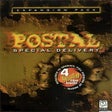
Postal: Special Delivery
Exploring the New Features in Postal: Special Delivery