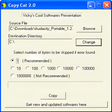
Copy++ for Windows
- By davacode
- Free
- 0.6
Related software
Total Copy
A Complete Copy of All Your Files
EaseUs Disk Copy
Comprehensive Review of EaseUS Disk Copy for Windows
EaseUS Disk Copy Pro
Efficient Disk Cloning with EaseUS Disk Copy Pro

Copy Handler
Copy Handler is an app which allows you customize the file copy and move functions on your system. The app is highly customizable and fully integrates with the Windows OS. Copy Handler provides many advanced options like task queuing; filtering files according to specific criteria; pausing and resuming copying files operations and changing the copying parameters on the fly. With Copy Handler the speed of your copy and transfer process is also increased. Key Features Include: Full-control over the copying or moving process by pause, resume, restart and cancel features. Copy files faster than standard Windows copying.* Over 60 detailed options. Automatically resume all unfinished operations on system start. System integration provides additional commands to context menus of folders. Multiple language support. The app has some good features such as auto-resume on error and the ability to shut down your system after the copying process is finished. You can also tweak detailed and technical operations such as customizing copy/move thread, buffer sizes, thread priority etc. If you need to copy/move large files from one storage device to another then this is a lightweight app to have in your arsenal. *When copying data from one partition to another on the same physical hard disk.
SSuite Copy Master
SSuite Copy Master - Fast and Reliable File Copier
VCS Copy Cat
Efficient CD and DVD Copying Utility
TeraCopy
A simple and fast way to copy and move files
Carbon Copy Printer
Efficient Document Duplication with Carbon Copy Printer
Do you Copy?
A Gripping Horror Experience in Do You Copy?
USB Copy Protection
USB Copy Protection Explained
Copy Bad Disk
Efficiently Copy Files from Damaged Disks
PDF Anti-Copy
Comprehensive PDF Protection Tool for Windows