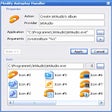
Autoplay Repair for Windows
- By Quickfind
- Free
- 2.2.2
Related software
Microsoft AutoPlay Repair Wizard
Recover autoplay functionality with Microsoft AutoPlay Repair Wizard
CleanHandlers
Optimize Windows Autoplay with CleanHandlers

Adobe Acrobat Reader DC
Reliable PDF viewing and annotation for all users

WinRAR 64-bit
Trusted compression for personal and professional use

2007 Microsoft Office Add-in: Microsoft Save as PDF or XPS
2007 Microsoft Office Add-in: Microsoft Save as PDF or XPS for Windows explained

Google Chrome
A fast, feature-rich browser

AnyDesk
Effortless remote access with AnyDesk

WinRAR 32-bit
A reliable and secure file compressor
CCleaner Free
Cleaning and optimization made simple

WhatsApp
Seamless messaging across devices

2007 Microsoft Office suite Service Pack 3
Free security and performance boost for legacy Office
Adobe Illustrator CC
Solid choice for Creative Cloud vector design




Laws concerning the use of this software vary from country to country. We do not encourage or condone the use of this program if it is in violation of these laws.






