
Soothing desktop aquarium screensaver
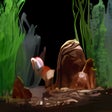
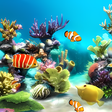
Free Aquarium Screensaver is a desktop application that turns your screen into a relaxing underwater environment with colorful fish, aquatic plants, and gentle water effects. Designed for Windows, it displays animated marine life moving naturally when the computer is idle, creating a calming, visually pleasing backdrop. The screensaver adds a decorative and peaceful touch to your desktop without requiring interaction.
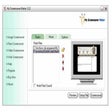
Free Aquarium Screensaver displays multiple types of fish and underwater elements that move naturally, mimicking a real aquarium. Users can adjust fish numbers, species, background themes, and motion speed, creating a visually pleasing, calming screensaver for a relaxing desktop environment.
Free Aquarium Screensaver’s visual style features colorful fish, smooth animations, and layered aquatic backgrounds that create a realistic underwater atmosphere. Its utilities include fish models that vary in shape, size, and color, moving naturally and unhurriedly. Additional elements like plants, bubbles, and subtle lighting effects enhance the sense of depth, making the screensaver visually engaging and soothing while providing a relaxing, decorative addition to any desktop environment.
Visual presentation and customization
Customization options allow users to select how many fish appear on screen and which species are included, giving full control over how lively or calm the scene appears. Additional settings for background selection, motion speed, and visual effects provide further personalization, enabling users to tailor the screensaver to their aesthetic preferences and monitor size. These features create a flexible and visually pleasing desktop experience.
While the screensaver creates an attractive and relaxing display, it remains limited in scope. Its functionality is focused entirely on visual ambiance, without interactive features or extensive configuration beyond basic appearance settings. Users seeking more dynamic, interactive, or customizable aquarium simulations may find it overly simplistic, as it primarily offers a passive, decorative experience rather than a fully engaging or feature-rich virtual aquarium environment for extended use.
Simple and calming visual screensaver
Free Aquarium Screensaver is a straightforward way to add a soothing animated aquarium to your desktop. Its gentle motion, colorful visuals, and basic customization options create a pleasing screensaver that enhances idle screen time with an aquatic theme. While it lacks advanced interactive features or deep customization, it serves its purpose well for those seeking a peaceful visual backdrop for their computer.
Pros
- Attractive underwater visuals
- Easy to install and use
- Basic customization options
Cons
- Limited interactivity or complexity
- No sound or multimedia features
- Basic overall functionality