
免费且快速的下载器 ()
Filehippo

安全盾牌图标Safe Downloader

安全下载器通过 FileHippo 的高速服务器快速、安全地下载应用程序,从而确保可信赖的来源。
除了病毒扫描之外,我们的编辑器还会为您手动检查每个下载。

安全下载器的优点

  • 如果您的下载安装了其他不需要的软件,恶意软件防护会通知您。
  • 探索其他软件:测试等待在安装程序中发现的新软件。
  • 在我们这里,您可以选择接受或跳过其他软件安装。

编辑评论 · 2026年5月20日

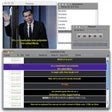
Shotcut for Mac is an open source, cross-platform video editor with a wonderfully sleek, intuitive interface. With Shotcut for Mac you work with numerous panels that can be docked and undocked as you see fit. Viewable information includes details regarding media properties, an encoding panel, filter panel, and a jobs queue. You can also see recent files, view playlists with a thumbnail view and see recent search history. It even supports drag and drop functionality from file manager.

Key Features include:

  • Wide format support.
  • 4K resolution support.
  • Audio mixing across all tracks.
  • Video compositing across video tracks.
  • Intuitive interface.

Shotcut for Mac has superb support for wide format media including hundreds of audio and video formats and codecs thanks to FFmpeg. Working with Shotcut for Mac is really easy; you have all the information, tools and functions that you need to produce quality material. It supports native editing, it has multi-format timelines, and it gives you data on resolutions and frame-rates within the project that you are working on.

Shotcut for Mac also has some really neat device options. With Blackmagic Design SDI and HDMI support for media input. You can input media from your screen, webcam and various audio capture devices as well.

System requirements: Intel, 64-bit processor, OS X 10.6.8 or later.

Looking for the Windows version of Shotcut for Mac? Download Here

Shotcut for Mac的放大图片
Shotcut for Mac 0/1

技术规格

标题
下载 Shotcut for Mac 26.4.30 Mac
系统要求
Mac OS X
语言
可用语言
  • 捷克语
  • 德语
  • 英语
  • 西班牙语
  • 法语
许可证
免费
最近更新
作者
Meltytech, LLC
SHA-1
be58046114f4eaee9185377c0d0486b86a073cb8
文件名
shotcut-26.4.30.dmg

可用其他语言的程序


Fixed color accuracy of lossless/Ut Video preset and use yuv422p format.Fixed number of digits for seconds in the Timer video filter when using Format > MM:SS.SS.Fixed compositing completely transparent areas of alpha channel darkens output.Fixed some generators (Color Bars, Ising, Lissajous, Plasma) not working correctly in Timeline.Fixed Settings > External Monitor > DeckLink/Intensity can stall when Settings > Realtime is enabled.Fixed making project folder if a parent folder does not exist.Fixed New Project > Start does not save a .mlt file until you open media and save.Fixed launch on some Linux (e.g. gentoo) by including libselinux .Fixed crash when undo Playlist > Remove All.Fixed auto-saved file not removed when save and exit with no changes.Fixed the color accuracy of the Color generator.Fixed numeric locale bug in the Audio Spectrum Visualization and Audio Waveform Visualization filters.Fixed clip reloaded when leaving Properties > Speed with no change.Fixed Settings > External Monitor on Windows screen.Fixed launch crash on Linux with (Csound) csladspa < 6.11.1 installed.Improved color accuracy of internal RGB-to-YUV conversions.Changed Quality to 100% when using the intermediate/ProRes preset.Added 16:9, 9:16, and 1:1 aspect ratios for transition wipes.Moved Properties > Reverse… from the overflow menu to a button.Changed Properties > Reverse… to use project folder if used.When Reverse job completes, automatically open it and add it to the PlaylistStart playback from the beginning if you play when the play head is at the end.Improved speed of the Text and Timer video filters.Added View > Scopes > Video HistogramAdded Preset to some more filters:Audio Gain/VolumeBlurBrightnessOpacityAdded Preset and simple and advanced keyframes to the Balance and Pan audio filters.Added a Levels video filter with simple and advanced keyframes!Added Properties > Color Range for video clips.Replace the Mask video filter with 3 new filters:Mask: Simple ShapeMask: From FileMask: Apply


帮一下忙!

如果您有任何更新日志信息,希望与我们分享,我们非常乐意倾听!发送至 联系页面 联系我们吧。

探索应用

相关软件

最新更新