
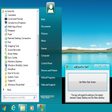
Start Menu 8 Windows 版
- 由 IObit
- 免费
- 4.0-beta

技术规格
- 标题
- 下载 Start Menu 8 4.0-beta Windows
- 系统要求
- Windows 8.1
- Windows Vista
- Windows 7
- Windows 8
- Windows XP
- Windows 10
- 语言
- 中文
- 可用语言
- 德语
- 英语
- 西班牙语
- 法语
- 意大利语
- 日语
- 波兰语
- 中文
- 许可证
- 免费
- 最近更新
- 作者
- IObit
- SHA-1
25802489f1e113e858bb7b07b8a431e80dd59be0
- 文件名
- sm8-setup.exe
可用其他语言的程序
Start Menu 8 Windows 版
- 由 IObit
- 免费
- 4.0-beta
帮一下忙!
如果您有任何更新日志信息,希望与我们分享,我们非常乐意倾听!发送至 联系页面 联系我们吧。
探索应用











相关软件

NTLite Free 32-bit
NTLite Free 32-bit is an app for Windows administrators that allows you to edit Windows installation images, either 'offline' or 'live'. The 'live' edit mode is a unique feature that lets you modify already installed Windows OS' without re-installation. All you have to do is run the tool on the OS you want to edit, change what you need and reboot if necessary. NTLite Free 32-bit has an intuitive interface which is easy to use. The app makes use of dynamic menus, an easy image mount overview and single- file settings. Key Features Include: Intuitive interface. Disk partitioning. Highly customizable. 'Live' edit mode. The app has numerous features including component removal, language packs and app integration, disk partitioning and a pending changes overview. It is interesting to note that NTLite does not require .NET Framework to run under supported operating systems. This is useful as it enables the app to run faster and is more portable with less dependencies. Supported Windows versions include Windows 7, 8, 8.1 and 10 Technical Preview.
Windows 8 Start Menu Toggle
轻松提升您的Windows体验
Pokki Start Menu
为 Windows 8 复兴经典开始菜单

Miro
Miro is a free HD video player. It can play almost any video file and offers over 6,000 free internet TV shows and video podcasts. Miro has a simple, gorgeous interface designed for fullscreen HD video. Since Miro downloads most videos, you can take your shows with you, even on an airplane. Quite simply, Miro is a better way to watch all the video you care about. Unlike your browser, Miro's built for HD. The built-in Miro Guide connects you to thousands of free High Definition video shows. Miro downloads video fast and stores it on your local computer for a level of quality that is often impossible on streaming video websites (even the ones that call themselves 'HD'). Can't open a video? Now you can, with Miro. Miro can play virtually any type of video file - Quicktime, WMV, MPEG, AVI, XVID, and more. When it comes to video podcasts, Miro goes far beyond iTunes by letting you subscribe to BitTorrent RSS feeds, with one of the fastest torrent downloaders in the world. Miro makes BitTorrent RSS dead simple-- when a new episode is available, it will download automatically and be ready to watch.

Lines Code Editor
Lines Code Editor was created to be a free, fast and simple source code editor for Microsoft Windows. Seen by its creators at CreatixBih as a great Notepad replacement editor, the software boasts many features and is pretty easy to use. Users will notice a quick and effective start-up and workflow, even on older machines. It also has an integrated web browser with auto-refresh on save and a host of easy to navigate document tabs. Key features include: Checks PHP syntax errors on save. Custom text snippets and document templates. Split code editor up to four views. User commands, external scripts, output console. Full capable project explorer integration. Syntax highlighting for many common languages. Code folding for CSS, PHP and JavaScript files. The software also supports Unicode, UTF-8, ANSI, ASCII encodings, and boasts an encoding converter. It contains a work-space and project-based file browser which facilitates code export and printing support. There is also a colour picker with the current CSS file colours. In terms of line operations you can toggle comment, duplicate, remove empty and trim ends. You are also able to convert encoding and text by opening the folder as a project from explorer’s right click menu. You will then have right click editing of any file in explorer and be able to export the project as a zip file. Lines Code Editor has many more abilities, but overall it is quickly gaining a great reputation as a Notepad replacement editor. It is also remarkably user friendly, which makes all the difference. It is available for download, as long as the following requirements are met: Microsoft .NET Framework 3.5 – Download and Windows: XP, Vista, 7, 8 or 10
Notepad3
Notepad3 is a revamp of the standard, vanilla offering Windows Notepad that comes with Microsoft’s operating system. Notepad3 is a fast and lightweight Scintilla-based text editor with syntax highlighting capability. Although it has a small footprint, it is powerful enough to handle most programming jobs thrown at it. Key Features include: Code folding. Bracket matching. Automatic indentation. Word auto-completion. Convert character encoding between various formats (ASCII, UTF-8, and UTF-16). Newline format conversion (between DOS (CR/LF). Unix (LF), and Macintosh (CR) formats), multiple undo or redo, bookmarks, and regular expression-based find and replace. Notepad3 also supports many programming languages including syntax highlighting support for ASP, assembly language, AutoHotkey, AutoIt3, AviSynth, Bash, BAT, C, C++, C#, CMake, CoffeeScript, Common Gateway Interface (CGI), Cascading Style Sheets (CSS), DIFF, HTML, INF, INI, Inno Setup, Java, JavaScript, LaTeX, Lua, Markdown, NSIS, Pascal, Perl, PHP, Python, REG, Ruby, SQL, Tcl, Visual Basic (VB), VBScript, VHDL scripts, XHTML, XML, YAML and improved support for NFO ANSI art.
Betternet Free VPN
Betternet是Windows专用的VPN,没有广告,也没有注册。 Betternet允许您匿名浏览Web,而不必担心被政府或ISP跟踪。您的IP将被更改,并且没有人可以跟踪您在Internet上的活动。 主要功能包括: 它是永远免费的。 它支持Windows 10、8.1、8、7。 无需信用卡。 无需注册或登录。 没有保存任何用户的日志。 简单的一键式连接。 它将您连接到最快的服务器。 Betternet使您可以访问所在国家/地区,学校或工作地点中整个被阻止的网站。您可以取消阻止Facebook,Twitter,Youtube和其他社交网络,并绕过政府的审查制度。 当您连接到公共wifi热点,蜂窝数据网络和其他公共场所时,Betternet可以保护设备的连接。 它就像免费代理一样工作,但更加安全。您的密码和个人数据受到保护,并且免受黑客攻击。 Betternet速度很快:它会自动检测您的位置并将您连接到最近的服务器;结果,您的连接将比其他提供商快得多。
CCleaner Free
清洁和优化变得简单

Google Chrome
Google的顶级免费浏览器
VNC Viewer
RealVNC的VNC Viewer提供了对所选择计算机的即时远程访问。世界各地的Mac,Windows PC或Linux机器。通过VNC Viewer,您可以查看计算机的桌面,也可以控制其鼠标和键盘,就好像您直接坐在该计算机的前面一样。 VNC Viewer易于安装和使用。只需在要控制的设备上运行安装程序,然后按照说明进行操作即可。 (可选)有一些MSI可用于Windows下的远程部署。如果您无权在桌面平台上安装VNC Viewer,则需要选择独立选项。 主要功能包括: 通过云服务连接到运行VNC Connect的计算机。 直接与第三方(例如Apple屏幕共享(ARD))连接到运行VNC兼容软件的计算机。 通过在每台设备上登录VNC Viewer来备份和同步所有设备之间的连接。 虚拟键盘上方的滚动条包含高级键,例如Command / Windows。 蓝牙键盘支持。 VNC Connect订阅提供3个版本:免费,付费和试用。 对于您需要控制的每台计算机,只需访问RealVNC的网站,然后将VNC Connect下载到每台计算机即可。接下来,使用您的RealVNC帐户凭据登录到本地计算机上的VNC Viewer。从那里您将能够看到您的计算机并连接到它们。 使用VNC Connect,您的会话将被端到端加密;该应用程序密码可保护开箱即用的每台计算机。您只需要输入用于登录计算机的用户名和密码即可。 支持WIN 7,8,8.1,10。 寻找Mac版本的VNC Viewer?在这里下载

DAEMON Tools Lite
ISO映像创建者和刻录机
Nexus
The Winstep Nexus Dock is a FREE professional dock for Windows. With Nexus, your most frequently used applications are only a mouse click away - and Nexus turns working with your computer into a fun and exciting experience. The Nexus dock provides one-click access to frequently used applications, folders and documents. Main features: Display running applications on the dock with task grouping, filtering and icon customization options. Display system tray on the dock as single or grouped icons. Blur-Behind and colorization of dock backgrounds. Monitor active connections and bandwidth usage with Net Meter module. Get weather forecast for over 39,000 cities world-wide. Multiple mouse over effects: zoom, swing, bounce and more! Live icon reflections and animated water-like effects for reflections and dock backgrounds. Easily change appearance of icons of running programs and shortcuts by drag & dropping PNG, ICO and TIF files directly into the icon. Multi-monitor support. Compatible with skins for all 3rd party docks.





最新更新
Code VBA
使用代码 VBA 创建自定义 Windows 应用程序
Home Cluster
Windows 家庭集群的综合评审
Automate SQL Backup & Restore
高效的 SQL 备份和恢复自动化工具
Isoo Backup
全面备份解决方案与 Isoo Backup
BackupKit
Windows 用户的可靠备份解决方案
EVGA Precision X1
使用 Precision X1 优化您的 NVIDIA GPU
SysTools Google Workspace Export Tool
全面的 Google Workspace 数据导出工具
Aryson PST to MSG Converter
高效的 PST 转 MSG 转换工具
Prapl Cloud Mount | Software for Windows PC
高效的 FTP 客户端用于云存储集成
RAPTOR - Flowchart Interpreter
RAPTOR - Windows 流程图解释器可以帮助新编码人员创建更好的算法
Fortect
Fortect:Windows 性能优化和安全应用
FXSound
通过FXSound增强您的音频体验










最新版本
Start Menu 8 5.3.0.1
旧版本
Start Menu 8 5.2.0.9
Start Menu 8 4.6.0.1
Start Menu 8 4.4.0.1
Start Menu 8 4.3.0.1
Start Menu 8 4.2.0.2
Start Menu 8 4.2.0.1
Start Menu 8 4.1.0.4
Start Menu 8 4.0.2
Start Menu 8 4.0.1
流行于 Desktop
Python
PyCharm Community Edition
RealVNC
NoMachine
XShell
v2rayN
PrimeOS
Iperius Backup
Notepad++ Portable
NTLite Free 32-bit