相关软件
HitFilm Express
HitFilm Express will provide video editors with all the power they need to ‘make something cool’. This starter video editing software will allow anyone to take their first steps towards pro-filmmaking thanks to VFX wizardry. It is being described as perfect for students, YouTubers and beginner filmmakers. So, if you’re looking to level up your skills this software’s masterclass tutorials will suit everyone. Key features include: Full 2D and 3D compositing. 410+ effects and presets. Free video tutorials and projects. Professional video editor. Windows and Mac compatibility. Unlimited tracks and transitions. Great usability. This download is ‘fully loaded and forever free’. HitFilm believe that users shouldn’t have to pay to play. They also say that they delight in being a part of their user’s origin story. With its warm, friendly and incredibly helpful interface this program will guide complete beginners through the art of professional filmmaking. They can learn how to get the most out of more than 410 effects and presets, all thanks to free tutorials. Overall, HitFilm Express gives you access to the most powerful free video-editor and VFX software. With its unlimited tracks and transitions, full 2D and 3D compositing and a whole host of impressive features it is easy to see why this program continues to be downloaded in high numbers each day.
Movavi Photo Editor
Movavi Photo Editor is a fun, smart, and simple image editing program with a stack of great features. Have fun with your pics like never before. With Movavi’s funky picture editor, all you need is a set of photos and a dab of creativity to turn them into real eye candy. You’re going to love the automatic quality improvement with Magic Enhance and the ability to tweak manual color controls for precise edits. Add cool effects and even apply makeup digitally. Improve framing and composition with transformation tools: crop, flip, or straighten, resize your images. Experiment with object removal and background replacements for funny or surprising effects and memes! Key features include: Retouch your pictures, apply filters. Delete elements, change out backdrops, with just one-click. Use digital editing tools: flip, crop, level, etc. Add text watermarks and captions. Use ‘Magic Enhance’ to bring out the best of your pictures. Insert and edit text overlays. And that’s not all. With the touch-up and ‘Add Makeup’ feature you can make your skin flawless and smooth; apply lip tints and whiten teeth for the perfect smile; add vibrancy to your eye color or change it completely; experiment with digital mascara, eyeshadows, and blushes; and even experiment with the color of your hair! So, for fun, free, photo editing software, try Movavi Photo Editor now! Looking for the Mac version of Movavi Photo Editor? Download Here

Cyberlink Director Suite
Director Suite is a powerhouse collection of award-winning media editing software. Director Suite includes four fully-featured applications: PowerDirector 16 PowerDirector, from CyberLink, has long been a contender for the top spot when it comes to reasonably priced video editing software, with cutting-edge image technology, coupled with a great interface and an abundance of smart editing tools. ColorDirector 6 ColorDirector allows you to dramatically enhance the quality of your video productions by correcting color imperfections and balancing lighting. You can enjoy easy-to-apply film-style pre-sets, which add a professional movie look to your video productions. AudioDirector 8 AudioDirector provides you with complete control over editing, mixing and mastering your video's soundtrack, sound effects and dialogue. The cutting-edge restoration tools let you restore and work with files, which have audio glitches or imperfections. AudioDirector gives you perfect integration with PowerDirector, which allows faster complete editing, therefore reducing production times. PhotoDirector 9 PhotoDirector is a complete photo adjustment and design suite for editing awesome photos. It is designed to kickstart your creativity and help you to edit impressive photos for family, travel, landscapes and portraits.
Camtasia
Camtasia Studio is an all-in-one screen recorder and video editor for Windows PC. It is a simple to use application that allows you to record and create professional-looking videos with ease. With Camtasia Studio, creating impressive presentations, YouTube videos, and tutorials has never been easier. Because it is so simple to use, it is a great piece of software for all users to create professional quality videos for a wide variety of purposes. Key features include: Screen recording for Windows PC. Webcam recording. Simultaneously record video and audio. Built-in video editor. Add effects, transitions and animations. Royalty-free music and audio library. Add interactive quizzes to your videos. Record and import presentations. Create picture-in-picture videos. Because Camtasia Studio allows you to record everything on your Windows PC screen and webcam, it can be used to create endless types of content. The built-in video editor allows you to add various transitions, effects, animations, and captions to your videos, making it perfect for creating tutorial videos and guides. Another impressive feature of Camtasia Studio is the built-in library of royalty-free music and sound effects. Simply choose an audio element to instantly upgrade your recording. It even includes audio editing features to ensure your video's audio is as good as it can be. Overall, Camtasia Studio is a useful all-in-one screen recorder and video editor for Windows PC. It is incredibly simple to use, and includes some great features to help you create professional-quality videos easily. Find Camtasia Studio for Mac. Check out the FileHippo guide to recording video games on PC for YouTube.
Gemini Groove
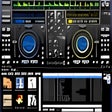
Gemini Groove is an MP3-compatible DJing application that provides all the tools that you need for mixing it up and creating that perfect sound. The basic layout is two virtual turntables and a mixing console sat in the middle of the two. As with a real turntable, each deck has its own pitch. There is also a loops and effects console, three cues and the tracks' progress bar. The console also has a three-range equalizer, individual volume controls, master volume and a cross-fader. The application is fairly easy to get to grips with and comes with a few cool functions, such as an automix function that allows you to fade into tracks. The feature also allows you to control the duration and style of fades. It also has support for MIDI controllers. Gemini Groove does have some shortcomings too though. Gemini Groove's user interface is not very intuitive, and is a little clumsy. The application hasn't got a great selection of effects, there is no skinning and really annoyingly there is not auto BPM. That being said, the interface does show you all you need and the cross-fader is very good. Overall it isn't that bad for a starter application if you want to get into the world of mixing.

Skype Voice Changer
Skype Voice Changer is a simple app that is able to modify your voice for conversions on Skype. The features of Skype Voice Changer are somewhat limited, but it does provides the correct number of options to change how you sound when chatting online with Skype VoIP. When Skype Voice Changer runs for the first time, it will attempt to detect and connect to Skype. Once Skype has started, you will need to perform a one-time authorisation to allow Skype Voice Changer to work with it. Within Skype you’ll also need to authorise Skype Voice Changer by selecting ‘Authorise’. As soon as you are successfully authorised, the Status screen will then show ‘Waiting for Call’ and the Effects tab will be automatically selected. Now you can start applying effects to your voice. In the ‘Effects’ tab, you are able to configure an ’Effects Chain’ of one or more different effects, which will modify your voice while a call is in progress (the field is empty by default). By clicking on the ‘Add Effect’ button it will allow you to choose an effect to add. Once you have selected an effect,you can edit and adjust the effect parameters in real-time. Your voice will be modified using any effects you have selected. It is worth noting that you will not hear the effects yourself. To test them out, you need to make a call to the ‘Skype Echo Service’. This will play back what you have spoken into the microphone. Overall, Skype Voice Changer does exactly what is says on the tin. It has a few options, however, it provides a perfect way to mask your true voice during Skype calls, both over video and voice, in real-time.

Google Chrome
Google的顶级免费浏览器
LINE
LINE allows you to share photos, videos, voice messages, contacts and your location information easily with your friends. You can get the latest news and special coupons for popular artists, celebrities,brands and TV shows. With LINE you can exchange free instant messages with friends whenever and wherever you like, with one-on-one messaging and group chats. LINE is available on all popular smartphone devices:iPhone, Android, Windows Phone, Blackberry and even on your PC. KEY FEATURES INCLUDE LINE Stickers: More fun and expressive chats, with over 10,000 stickers and emoticons. Timeline:Use Timeline to share texts, photos,videos, and stickers to exchange stories with your close friends. Snap Movie:Create top quality videos in just 10 seconds! You can add cool background music and share with friends. Add friends easily: Quickly add friends using the "Shake It!" function, a QR code, or a LINE ID. Looking for the Mac version of Line? Download it here.
Betternet Free VPN
Betternet是Windows专用的VPN,没有广告,也没有注册。 Betternet允许您匿名浏览Web,而不必担心被政府或ISP跟踪。您的IP将被更改,并且没有人可以跟踪您在Internet上的活动。 主要功能包括: 它是永远免费的。 它支持Windows 10、8.1、8、7。 无需信用卡。 无需注册或登录。 没有保存任何用户的日志。 简单的一键式连接。 它将您连接到最快的服务器。 Betternet使您可以访问所在国家/地区,学校或工作地点中整个被阻止的网站。您可以取消阻止Facebook,Twitter,Youtube和其他社交网络,并绕过政府的审查制度。 当您连接到公共wifi热点,蜂窝数据网络和其他公共场所时,Betternet可以保护设备的连接。 它就像免费代理一样工作,但更加安全。您的密码和个人数据受到保护,并且免受黑客攻击。 Betternet速度很快:它会自动检测您的位置并将您连接到最近的服务器;结果,您的连接将比其他提供商快得多。
UVK Ultra Virus Killer
UVK Ultra Virus Killer是一个简单而强大的病毒清除和系统修复工具套件。它具有许多功能,例如*系统增强程序和智能卸载程序。 UVK Ultra Virus Killer最重要的功能之一是系统修复部分。本节中包含执行最常见的系统维修和维护任务的工具。它还具有自动执行最著名的恶意软件清除工具的功能,并允许您创建自己的自动化第三方应用程序和专业报告。 如上所述,系统增强器工具是完整的注册表和文件系统清理器。它不仅递归地遍历注册表以尝试查找无效的引用,而且还分别分析每个键和值,定义是指向文件还是指向另一个注册表键/值,并遍历各种可能性以确保相应的项目添加到列表之前不存在。 Smart卸载程序是UVK Ultra Virus Killer更好的工具之一。它能够一次卸载多个程序。它还支持无人参与模式,并强制卸载。作为对上述所有功能的补充,UVK Ultra Virus Killer还提供了一个特殊的文本编辑器,旨在分析UVK Ultra Virus Killer日志并基于它们创建脚本。 *某些功能需要许可证。
WPS Office for Windows
WPS Office 2016 Free is the most versatile free office suite, which includes free word processor, spreadsheet program and presentation maker. With these three programs you will easily be able to deal with any office related tasks. WPS Office 2016 Free has multiple language support for English, French, German, Spanish, Portuguese,Russian and Polish languages. To switch between languages requires only a single click! Despite being a free suite, WPS Office comes with many innovative features, such as the paragraph adjustment tool and multiple tabbed feature. It also has a PDF converter, spell check and word count feature. WPS Office 2016 Personal Edition supports switching language UI,File Roaming and Docer online templates. Key features include: Writer Efficient word processor. Presentation Multimedia presentations creator. Spreadsheets Powerful tool for data processing and analysis. 100% compatible with MS Office document file types (.docx, .pptx, .xlsx, etc.). Thousands of free document templates. Built-in PDF reader. Mobile device support (iOS and Android). WPS Cloud Storage included. Although it is a free suite, WPS Office 2016 Free comes with many innovative features, including a useful a paragraph adjustment tool int he Writer program. It has an Office to PDF converter, automatic spell checking and word count features. It also has some neat tools such as the Watermark in document, and converting PowerPoint to Word document support. Overall, WPS Office 2016 Free is a good alternative to Microsoft's offering. The Writer program is a versatile word processor; the Presentation program is an easy to use and effective slide show maker that helps you to create impressive multimedia presentations; and the Spreadsheets program is both a flexible and a powerful spreadsheet application.
Nexus
The Winstep Nexus Dock is a FREE professional dock for Windows. With Nexus, your most frequently used applications are only a mouse click away - and Nexus turns working with your computer into a fun and exciting experience. The Nexus dock provides one-click access to frequently used applications, folders and documents. Main features: Display running applications on the dock with task grouping, filtering and icon customization options. Display system tray on the dock as single or grouped icons. Blur-Behind and colorization of dock backgrounds. Monitor active connections and bandwidth usage with Net Meter module. Get weather forecast for over 39,000 cities world-wide. Multiple mouse over effects: zoom, swing, bounce and more! Live icon reflections and animated water-like effects for reflections and dock backgrounds. Easily change appearance of icons of running programs and shortcuts by drag & dropping PNG, ICO and TIF files directly into the icon. Multi-monitor support. Compatible with skins for all 3rd party docks.