相关软件
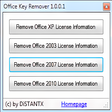
Microsoft Office Product Key Remover
轻松的 Microsoft Office 密钥管理
WPS Office for Windows
WPS Office 2016 Free is the most versatile free office suite, which includes free word processor, spreadsheet program and presentation maker. With these three programs you will easily be able to deal with any office related tasks. WPS Office 2016 Free has multiple language support for English, French, German, Spanish, Portuguese,Russian and Polish languages. To switch between languages requires only a single click! Despite being a free suite, WPS Office comes with many innovative features, such as the paragraph adjustment tool and multiple tabbed feature. It also has a PDF converter, spell check and word count feature. WPS Office 2016 Personal Edition supports switching language UI,File Roaming and Docer online templates. Key features include: Writer Efficient word processor. Presentation Multimedia presentations creator. Spreadsheets Powerful tool for data processing and analysis. 100% compatible with MS Office document file types (.docx, .pptx, .xlsx, etc.). Thousands of free document templates. Built-in PDF reader. Mobile device support (iOS and Android). WPS Cloud Storage included. Although it is a free suite, WPS Office 2016 Free comes with many innovative features, including a useful a paragraph adjustment tool int he Writer program. It has an Office to PDF converter, automatic spell checking and word count features. It also has some neat tools such as the Watermark in document, and converting PowerPoint to Word document support. Overall, WPS Office 2016 Free is a good alternative to Microsoft's offering. The Writer program is a versatile word processor; the Presentation program is an easy to use and effective slide show maker that helps you to create impressive multimedia presentations; and the Spreadsheets program is both a flexible and a powerful spreadsheet application.

Icecream PDF Split&Merge
Icecream PDF Split&Merge is a free tool for splitting and merging PDF files. There are 4 split mode available to choose from: into single-page files, by groups of pages, deletion of certain pages, by page ranges. The FREE version of Icecream PDF Split&Merge has a few restrictions on the PRO version. In the FREE version you have a 40 page limit on the number of documents in Split Mode. The number of files per one merge in Merge Mode is limited to 3 files. Unfortunately you also cannot set passwords for merged PDF files in the FREE version of Icecream PDF Split&Merge. Key Features Include: No limitations on the number of pages or PDF documents allowed in the PRO version. Splitting and merging of password protected files is also possible in the PRO version. Drag and drop support allows for the adding of PDF files to work with in a very simple way. In-built PDF reader allows previewing PDF files right from the interface of the program. The application supports both splitting and merging of PDF files and these modes are easily changed by means of a single mouse click on a button located on the top left.
Icecream PDF Editor
Icecream PDF Editor allows the user to manage and tinker with PDF files “easier than ever before”. It gives you access to all the editing modes and tools that you will need, presenting them in a smart and user-friendly tools panel. From there you can edit text, redact protected files, manage pages, add notes and lots more. Icecream believe that their application will give users a great opportunity to learn how to edit this type of document in “a hassle-free way”. Key features include: Edit text. Edit objects. Manage pages. Productivity booster. Protect PDF. Annotate PDF. Add stamps or watermark. Operating on Windows 10, Icecream say the product is a real productivity booster. Smart editing and video tutorials are all available for free. You are also able to visually combine and reorder PDF pages as well as split and merge PDF files. Moreover, PDF objects can be moved, resized and rotated. By setting a password or limiting editing and copying rights you can also protect your PDF. Adding custom stamps will also make for better and quicker proofreading, while you can also add notes and strike through or highlight areas and text. Adding your watermark and drawing on the document is also available. Overall, Icecream PDF Editor delivers a straightforward and effective service. You are able to make adjustments to files, as well as protect them. The great usability also makes this product a very tempting download indeed.
VMware Workstation Pro
There are numerous virtual environment provides on the market today, some put ease of use above functionality, other place integration above stability. VMware Workstation Pro is the easiest to use, the fastest and the most reliable app when it comes to evaluating a new OS, or new software apps and patches, in an isolated and safe virtualized environment. Key Features include: Powerful 3D Graphics - DirectX 10* and OpenGL 3.3 support. VMware Compatibility - Create one; Run anywhere on VMware software. vSphere and vCloud Air Support - Drag and drop VMs between environments. Restricted and Encrypted VMs - Protection and performance enhancements. Expiring Virtual Machines - Time-limited virtual machines. Latest Hardware Support - Broadwell and Haswell CPU support. Enterprise Quality Virtual Machines - 16 vCPUs, 8TB virtual disks, and 64GB memory. Enhanced IPv6 Support - IPv6-to-IPv4 NAT (6to4 and 4to6). Virtual Machine Video Memory - Up to 2GB. Enhanced Connectivity - USB 3.0, Bluetooth, HD audio, printers, and Skype support. High Resolution Displays - 4K UHD and QHD+ support. VMware Workstation Pro is a perfect choice for those of you who are a little skeptical about making the leap over to Windows 10. By utilizing an app like this, you'll get to try out all of Windows 10's new features in a safe sandboxed environment, without the need to install the OS natively. VMware Workstation Pro doesn't just support Microsofts OS, you can also install Linux VMs, including Ubuntu, Red Hat, Fedora, and lots of other distributions as well. Overall, Workstation Pro offers high performance, strong reliability, and cutting edge features that make it stand out from the crowd. The full version is a little pricey, but you do get what you pay for.
PDF Combine
PDF Combine is a powerful application that can turn multiple PDF files into one single document that you may organize and share as you need to. There are multiple ways to complete the combination process, depending upon the configuration of the files you start with and the end product you need. There are various ways to combine your PDF document. e.g. you can add each file you want in the finished version individually, or you can put them all in one folder and let PDF combine do the work for you. You can even combine them by common name part, via command line, and from the desktop if you so wish. Key features include: Intuitive interface. Highly configurable. Combine by folder or file name. Encrypt PDF Documents. Command line option. PDF Combine has a crisp looking interface that is easy to navigate; all of the options are clearly marked, and most features are where you need them to be located. The downside to PDF Combine is the fact that it does take some time to learn about all of the options available and how to use them best. Unfortunately, the Help document isn't very clear. If, however, you have some experience with similar applications then the learning curve should not be as steep as those without.
Icecream PDF Converter
Icecream PDF Converter is a free app that lets you convert files from PDF and to PDF, with an easy to use interface that has multiple advanced features. You can convert DOC to PDF, EPUB to PDF, JPG to PDF and more. The app gives you the ability to merge all files in one PDF document and use various output file settings. Icecream PDF Converter lets you convert PDF to JPG, BMP, EPS and other formats without any page limit or file limit. Key Features Include: Bulk conversion: Add multiple files to the queue and convert them in a single click. Multi-format support: PDF, DOC, JPG, PNG, EPUB, MOBI, BMP, XLS, TIFF, ODT, HTML and more. Layout settings: Choose page size, orientation and margins; rotate and select content position. Select page ranges: Select page ranges of a PDF file to convert to images. Merge files: Merge several documents or images in one PDF file. Page sequence: Edit file sequence when merging files in one PDF. Drag and drop: Use drag and drop for adding files for conversion and arranging pages of the output PDF file. Protected files: Convert password-protected PDF documents and set up your own password when converting to PDF. Overall, Icecream PDF Converter is a good app that has many features with a clean and fresh looking user interface. System requirements: Windows 8, Windows 7, Windows 2000, Windows Vista, Windows XP or Windows Server 2008. 1.33 Ghz processor, 512 MB of RAM, 350 MB to 2 GB of free disk space.
EdrawMax
Edraw Max Professional is a useful flowchart design app that allows you to visualise your ideas. With Edraw Max Professional, users, such as students, teachers, and business professionals, are able to reliably create and publish various kinds of diagrams to represent any idea. The app provides a versatile, easy, quick and professional solution to working with diagrams. With rich forms, templates, enhanced effects and themes, Edraw Max Professional allows you to create intuitive diagrams for your every need. The scope of design is vast; you can create a house or floor plan, an evacuation plan, a wiring plan, a CVC plan, computer graphics, Gantt charts, decision trees, a UML diagram, business cards, flyers, certificates, invoices, a purchase order scheme, and much more. Key features include: All-in-one diagram software. Create flow charts. Free templates. Extensive symbols, icons and shapes. Edit and customise symbols. Fast and intuitive editing. Built-in cloud storage. Over 50,000 built-in vector graphics. Because Edraw Max Professional is based on cloud storage, you can access your work on any device, at any time, wherever you are. It also provides a range of collaboration tools that allow you and your team to edit files simultaneously. You can even share your designs with others via HTML links. With rich forms, templates, enhanced effects and themes, you can create fresh looking, polished diagrams that really stand out. Edraw Max Professional makes your diagrams more dynamic by linking real-time graphics to your data. With pre-drawn libraries and more than 50,000 vector symbols, creating diagrams couldn't be simpler. Overall, Edraw Max Professional is a great piece of all-in-one diagram software. It gives you all the tools you need to create detailed diagrams. It integrates well with office apps and has some powerful functions. The interface is intuitive and easy to get to grips with. This version of Edraw Max Professional is a 30-day trial. Find Edraw Max Professional for Mac here.

LabelPath Barcode Label Maker Software
LabelPath Barcode Label Maker Software is an all inclusive label-design and data-processing utility that will meet all the needs and desires of most label designers. It has a wide range of features and options make it a powerful, but easy-to-use tool for any label printing requirements One of LabelPath’s greatest strengths is its powerful and easy-to-use design tools. It allows for the creation of unique labels with rich text, color, images and industry symbols. It has a WYSISWG (What You See Is What You Get) design window, a drag & drop tool, automatic positioning, rotating, outlining, thumbnail previews, unlimited redos that make designing and tinkering with labels easy, and much more. While professionals will perhaps get the most out of LabelPath, both they and beginners will appreciate the full-featured set of label design Wizards, to help them create labels quickly and easily. Opportunities exist in abundance to create original and eye catching designs by combining fonts, barcodes, drawing elements and graphics files. There’s also a really useful and accessible Database Wizard available to guide beginners quickly and easily in their label printing journey. LabelPath also comes with some really flexible design tools that come all wrapped with an intuitive user interface that can help and guide users to create labels accurately and quickly. Labels can include a wide range of variable fields such as prompted values, serialized fields and date and time stamps. Crucially and thankfully, LabelPath comes with support for almost all industry-standard barcodes and contains linear, 2D, Postal or RSS. Such as UPC, Codabar, Code 39s, 93s, and 128s and Data Matrix. It also supports some geographically specific postal codes including Australian Post, Canadian Customs, Japanese Post, Royal Mail, UPS Tracking and US Postal. Advanced users can also take advantage of a built-in data query builder, or if the mood takes them they can write their own SQL commands. LabelPath also has support as standard for text files, excel file, XML files, common database types and ODBC drivers, enterprise databases (Oracle, MS SQL Server, AS/400, Informix, etc.) Key Features: Postal Code Support for Australian Post, Canadian Customs, Japanese Post, Royal Mail, UPS Tracking and US Postal. Intuitive and easy to use. Aimed at pros and beginners alike. Supports industry standard barcodes. Flexible design tools. Database Wizard. Design original, colourful and professional labels. Wide range of fonts to choose from.
gnuplot
Gnuplot is a portable command-line driven graphing utility for Windows, Linux, OS/2, OSX, VMS, and many other platforms. Gnuplot is able to generate both 2D and 3D plots; delivering the results in animated views. You can also save the graphs to a variety of image formats, including PNG, SVG, JPEG and EPS. Supported outputs include: Interactive screen display: cross-platform (Qt, wxWidgets, x11) or system-specific (MS Windows, OS/2). Direct output to file: postscript (including eps), pdf, png, gif, jpeg, LaTeX, metafont, emf, svg.. Web display formats: HTML5, svg. Gnuplot was originally created to allow scientists and students to visualize mathematical functions and data interactively, but it has grown to support many non-interactive uses such as web scripting. It is also used as a plotting engine by third-party applications such as Octave.

Corel Office
Corel Office is a simple and sleek, Microsoft compatible office suite, which comes loaded with three individual applications: Corel Write, Corel Calculate and CorelShow. Corel Office gives you a complete office suite that has a familiar look and feel to it. The application also comes with built-in PDF creation tools that allow you to save your files in PDF format. KEY FEATURES INCLUDE: Easy to learn and use. With a familiar ribbon-style interface, Corel Office appears like the office software you're used to, thereby making it easy to start work immediately. Microsoft compatibility. With Corel Office you can open, edit, create and save Microsoft Office documents with just one click! One-click online sharing. Corel Office allows you to share your work easily thanks to support for Dropbox, the file-sharing service, which lets you securely post files online. System requirements: Microsoft Windows 8, Microsoft Windows 7, Windows Vista or Windows XP (32-bit and 64-bit editions). 256 MB RAM. 1 GHz processor. 152 MB hard disk space for English; 165 MB for English and French. 1024 x 600 screen resolution.
Wondershare PDF to Word Converter
Wondershare PDF to Word Converter is a professional PDF tool to convert PDF files to fully editable Microsoft Word. It has some impressive functions such as the the ability to convert a 100-page PDF file within 1 minute. Wondershare PDF to Word Converter has been designed to be the best tool for PDF conversions, eliminating the need to rewrite or copy and paste from one document format to another. Key features include: Convert PDF to Word. Preserve the original PDF text, images, and graphics in the output documents. Simple User interface. Wondershare PDF to Word Converter is capable of converting PDF files to editable Word files, maintaining the original images, text, hyperlinks, graphics, format and layout. The application supports exportation of PDF documents to Microsoft Office Word 2003, 2007 and 2010. Wondershare PDF to Word Converter can save a lot of time and effort when editing business documents, preparing manuals, and dealing with other projects that involve PDF and Word document formats. Overall, Wondershare PDF to Word Converter is a good tool that can convert lots of PDF documents in batches. The downside to the trial version has watermarks embedded in the finished documents. Looking for the Mac version of Wondershare PDF to Word Converter? Download Here