miniMIZE Windows 版
- 由 Stephen Kew
- 免费
- 1.0.37
相关软件
Minime
Minime:一个免费的Windows实用工具
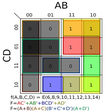
Karnaugh Minimizer
卡诺最小化器 - 适用于所有编程场合的必备工具
Minimal Maze
最小迷宫:独特的谜题体验
Actual Window Minimizer
使用实际窗口最小化器进行高效窗口管理
StartupStar
StartupStar is able to help you organize apps that are scheduled to run when your system starts. It is able to remove them from the startup list or disable them from running altogether. The app also allows you to click the status icon, so you can easily delete the entry, block it or set it as a ‘delayed start’ app. StartupStar analyzes your PC and shows you apps that are automatically launched during startup. It also displays a rating for those apps, showing you which of them are valuable and which may be removed. Key Features include: Full control: The main screen shows you an overview of all startup entries. From here you can enable, disable, or delete them. Delay entries: StartupStar allows you to delay the start of apps. This reduces the number of simultaneous apps that try to launch on system start. Creation of new entries: StartupStar allows you to instantly create new startup entries. It also supports Administrator rights without UAC (User Access Control). High security through backups: If you accidentally delete an entry, you can easily restore it. In addition to being highly configurable, the app also comes with a firewall component that detects new items that might be added to the startup list, and will notify you about them. It can also block items that have been added to the blacklist. With the firewall function enabled, you can set the app to minimize itself to the system tray. It will then be able to notify you without interfering with any active processes. Overall, StartupStar is a good startup manager that integrates a useful firewall component. It is able to help you manage apps, which are are scheduled to run at system start, at the same time, being able to notify you about any modification attempts. The interface is user friendly and it comes with intuitive controls that also add to the overall simplicity without sacrificing efficiency.

Window Manager
WindowManager is handy little system tweaking tool that can improve your workflow. It works by remembering and then restoring the position and size of your apps and windows. There are lots of apps that don't remember the size and position between sessions. Annoyingly, since Windows 7, Windows Explorer does not restore windows to their last position either. This is where WindowManager comes into its own. The app ensures the windows you have used are placed exactly where you need them, each time you open them. With WindowManager, you can lock the position and size of any window, to ensure that it will always open in the same location, no matter where you move it to. Key Features include: Remembers and restores the position and size of your apps and windows. Supports explorer windows, apps, dialogs, etc. Configurable rules for moving or sizing only, activating, closing windows, etc. Advanced actions for typing text into windows, pressing keys, clicking mouse buttons, etc. Multi-monitor support. Multiple profiles. Powerful trigger system for profile switching. Minimize windows to the system tray area. Fully customizable. Windows 10 support. As you would expect, window handling is fully customizable. You are able to set up special rules for your ‘favorite’ windows, which are most frequently used. The interface is simple to navigate and all actions are undertaken in a few clicks.
SSD Fresh
SSD drives only have a limited lifetime (i.e. a limited number of write accesses per memory cell). Because of this, all unnecessary writing accesses should really be avoided. SSD Fresh is able to configure your system in an optimal way in order to minimize unnecessary write operations. The app adjusts your Windows system for using these types of drives, instead of using SATA drives. By using SSD Fresh, you can increase the lifetime of your Solid State Drive, and increase the longevity of your system. Key Features include Adjusts Windows to optimize the SSD. Avoid write access. Increase performance. Defragment Boot Files. Windows Event Logging. 8.3 Name Creation. Windows Trim Function. AHCI Setting. View SMART data. View Drive information. Overall, if you use an SSD in your system, then you really should try to optimize its capabilities. SSD Fresh is great tool to do that. The interface is minimal, yet intuitive, and the app has some really useful tools. You can perform some of the functions by digging around in Windows, however SSD Fresh allows you to do this from a single app. It is lightweight, useful, easy to navigate and has a small footprint.
Betternet Free VPN
Betternet是Windows专用的VPN,没有广告,也没有注册。 Betternet允许您匿名浏览Web,而不必担心被政府或ISP跟踪。您的IP将被更改,并且没有人可以跟踪您在Internet上的活动。 主要功能包括: 它是永远免费的。 它支持Windows 10、8.1、8、7。 无需信用卡。 无需注册或登录。 没有保存任何用户的日志。 简单的一键式连接。 它将您连接到最快的服务器。 Betternet使您可以访问所在国家/地区,学校或工作地点中整个被阻止的网站。您可以取消阻止Facebook,Twitter,Youtube和其他社交网络,并绕过政府的审查制度。 当您连接到公共wifi热点,蜂窝数据网络和其他公共场所时,Betternet可以保护设备的连接。 它就像免费代理一样工作,但更加安全。您的密码和个人数据受到保护,并且免受黑客攻击。 Betternet速度很快:它会自动检测您的位置并将您连接到最近的服务器;结果,您的连接将比其他提供商快得多。

Google Chrome
Google的顶级免费浏览器

DAEMON Tools Lite
ISO映像创建者和刻录机
VNC Viewer
RealVNC的VNC Viewer提供了对所选择计算机的即时远程访问。世界各地的Mac,Windows PC或Linux机器。通过VNC Viewer,您可以查看计算机的桌面,也可以控制其鼠标和键盘,就好像您直接坐在该计算机的前面一样。 VNC Viewer易于安装和使用。只需在要控制的设备上运行安装程序,然后按照说明进行操作即可。 (可选)有一些MSI可用于Windows下的远程部署。如果您无权在桌面平台上安装VNC Viewer,则需要选择独立选项。 主要功能包括: 通过云服务连接到运行VNC Connect的计算机。 直接与第三方(例如Apple屏幕共享(ARD))连接到运行VNC兼容软件的计算机。 通过在每台设备上登录VNC Viewer来备份和同步所有设备之间的连接。 虚拟键盘上方的滚动条包含高级键,例如Command / Windows。 蓝牙键盘支持。 VNC Connect订阅提供3个版本:免费,付费和试用。 对于您需要控制的每台计算机,只需访问RealVNC的网站,然后将VNC Connect下载到每台计算机即可。接下来,使用您的RealVNC帐户凭据登录到本地计算机上的VNC Viewer。从那里您将能够看到您的计算机并连接到它们。 使用VNC Connect,您的会话将被端到端加密;该应用程序密码可保护开箱即用的每台计算机。您只需要输入用于登录计算机的用户名和密码即可。 支持WIN 7,8,8.1,10。 寻找Mac版本的VNC Viewer?在这里下载
CCleaner Free
清洁和优化变得简单