相关软件
Windows Media Player
Windows Media Player for Windows XP offers great new ways to store and enjoy all your music, video, pictures and recorded TV. Play it, view it, and sync it to a portable device for enjoying on the go or even share with devices around your home, all from one place. Simplicity In Design - Bring a whole new look to your digital entertainment. More of the Music You Love - Breathe new life into your digital music experience. All Your Entertainment in One Place - Store and enjoy all of your music, video, pictures, and recorded TV. Enjoy Everywhere - Stay connected with your music, video, and pictures no matter where you are.
DivX
DivX是免费下载的软件,可提供在计算机上欣赏高质量数字视频所需的一切,包括具有AAC音频的HD H.264(.mkv)视频以及使用所有以前版本的DivX技术创建的视频。您还可以在数百万经DivX认证的设备上播放DivX文件(.divx,.avi)。 使用DivX,您可以播放,创建和流式传输高质量DivX视频,包括高达4K分辨率的HEVC。该软件包随附许多组件,包括Converter,Player,Web Player,DivX To Go,Media Server,DivX安装程序系统和DivX控制面板。 DivX附带了许多插件,包括Cloud Connect *,这是一个新插件,使DivX软件可以同步来自Google Drive和Dropbox的视频。只需单击几下,您就可以从一个位置的多个云存储帐户下载和上传视频。通过Cloud Connect,您可以轻松地从云存储访问视频,以便在DivX Player中观看,或者可以使用DivX Converter将其转换为其他配置文件。借助DivX,您还可以将转换后的视频直接保存到云存储中,以节省PC上的空间。 使用DivX,您还可以投射到Roku设备。 DivX Media Server能够使用内置的“流至”功能将视频投射到Roku设备。使用DivX,您现在可以在电视上欣赏.divx,.avi,.mkv等内容。 *需要专业套装。
foobar2000
Foobar2000 is an advanced audio player for the Windows platform. It is a convenient and flexible media player that can be customized to suit your specific needs and preferences. Foobar2000 does need a fair amount of time to tweak and setup, but once you are done you can use it in just about any way you need to manage your media library. Key Features include: Supported audio formats: MP3, MP4, AAC, CD Audio, WMA, Vorbis, FLAC, WavPack, WAV, AIFF, Musepack, Speex, AU, and SND. Gapless playback. Full unicode support. Easily customizable user interface layout. Advanced tagging capabilities. Support for ripping Audio CDs as well as transcoding all supported audio formats using the Converter component. Full ReplayGain support. Customizable keyboard shortcuts. Open component architecture. When you first install and setup the interface appears a tad bleak, but in reality it hides some powerful features and a vast array of customizable options. You can choose the Quick Setup option, or you can go make individual selections regarding the type of information you would like to see displayed. If you need, there are skins available to download as well. Foobar2000 is a great audio tool to have in your collection of apps. It is lightweight, has a small operating footprint and has some nice features. It has full unicode support, ReplayGain support and native support for several popular audio formats. On the downside, it isn’t that easy to navigate if you are a novice. However, there is some help documentation available to assist those less experienced users.
Freac
If you are in the market for a free, Open Source audio conversion app, and you don’t mind a working with a simple interface, then you can’t go far wrong with Freac. Beneath the standard, bare bones window lies powerful open source conversion encoders that are able to rapidly convert your audio files to a good selection of formats. Not only can Freac convert an array of audio files, but it can also rip audio CDs as well. The app can access the online CDDB database to automatically populate the metadata attached to your media files, so they can be organized correctly in your media library. This is really useful as it saves a stack of time in manually adding the data yourself. Freac also comes with a couple of neat tools and configurable features, such as a built-in media player, with standard functionality; play, pause, stop, and skip next or skip previous. When saving content, you can choose a default saving directory, select the encoder you need, apply some audio filters, such as High-pass or Low-pass, create various playlists and cue sheets, install plugins, and you can edit ID3 tags as well. You can even batch process files, if you need to. Overall, Freac supports a wide array of formats, including .MP3, .Bonk, .WMA, .MP4/M4A, .AAC, .Ogg .Vorbis, .FLAC, and .WAV. It has a good selection of configurable options, and it is available in over 36 languages.
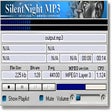
SilentNight Radio
SilentNight Radio: Your Go-To Internet Radio Tool
Sony PC Companion
索尼Xperia设备的基本工具
IPTV Free Channel List
最佳免费电视频道

SMPlayer 64bit
SMPlayer is a front-end for the mighty open source MPlayer. It comprises basic features like playing videos, DVDs, and VCDs to more advanced features such as support for MPlayer filters and more. One of the most interesting features of SMPlayer: it remembers the settings of all files you play. So you start to watch a movie but you have to leave... don't worry, when you open that movie again it will resume at the same point you left it, and with the same settings: audio track, subtitles, volume... More interesting features include: Configurable subtitles. You can choose font and size, and even colors for the subtitles. Audio track switching. You can choose the audio track you want to listen. Works with avi and mkv. And of course with DVDs. Seeking by mouse wheel. You can use your mouse wheel to go forward or backward in the video. Video equalizer, allows you to adjust the brightness, contrast, hue, saturation and gamma of the video image. Multiple speed playback. You can play at 2X, 4X... and even in slow motion. Filters. Several filters are available: deinterlace, postprocessing, denoise... and even a karaoke filter (voice removal). Audio and subtitles delay adjustment. Allows you to sync audio and subtitles. Advanced options, such as selecting a demuxer or video & audio codecs. Playlist. Allows you to enqueue several files to be played one after each other. Autorepeat and shuffle supported too. Preferences dialog. You can easily configure every option of SMPlayer by using a nice preferences dialog. Possibility to search automatically for subtitles in opensubtitles.org. Translations: currently SMPlayer is translated into more than 20 languages, including Spanish, German, French, Italian, Russian, Chinese, Japanese. A little bonus tool in the SMPlayer package is the "YouTube(TM) Browser for SMPlayer" providing you with a quick access to the most popular, most viewed and most rated videos on YouTube.

Duplicate Media Finder
Do you ever get carried away photographing something exceptional, then when you look at your camera roll it’s full up with basically the same photo? Then you have to go through all of your duplicates and choose a favourite, it’s a bit of a pain, right? Well now a new programme has been launched to make this arduous task little easier. KDO RG has created the Duplicate Media Finder which can discover and delete any similar or identical files. This applies to everything from photos to music in different formats or resolutions on your computer, external disks or smartphones. It really is a top tool to save on storage. Key features include: Locates similar or identical files Displays found contents directly as thumbnails User-friendly High-performance application Takes advantage of new multicore processors Advanced functions Its creators claim that Duplicate Media Finder is “the most user-friendly software on the market”, adding that all the user needs to do is check folders and the programme will do the rest. Essentially, the application allows the user to find all the duplicates on their device within moments. It can analyse hundreds of thousands of files at once - ideal if you have a large media library. As soon as they have been found the doubles will be displayed and are easily visible in a Windows thumbnail format. Several searches can take place at the same time and you can always refer to previous searches at any time. It gets better, the user can start to work on choosing their preferred original without having to wait for the search to end. Duplicate Media Finder also suggests which copies should be kept based on any important criteria specified, whether it be size, quality, date or resolution. You can move or rename files directly in the interface, as well as making use of the zoom function to view all the image details you want. On the whole, KDO RG’s product will save you hours of scrolling time when you’re having your once in a blue moon clean-up of devices. So, you can now snap away or download to your heart’s content knowing that the Duplicate Media Finder will be on hand to aid you refine your files after.
LINE
LINE allows you to share photos, videos, voice messages, contacts and your location information easily with your friends. You can get the latest news and special coupons for popular artists, celebrities,brands and TV shows. With LINE you can exchange free instant messages with friends whenever and wherever you like, with one-on-one messaging and group chats. LINE is available on all popular smartphone devices:iPhone, Android, Windows Phone, Blackberry and even on your PC. KEY FEATURES INCLUDE LINE Stickers: More fun and expressive chats, with over 10,000 stickers and emoticons. Timeline:Use Timeline to share texts, photos,videos, and stickers to exchange stories with your close friends. Snap Movie:Create top quality videos in just 10 seconds! You can add cool background music and share with friends. Add friends easily: Quickly add friends using the "Shake It!" function, a QR code, or a LINE ID. Looking for the Mac version of Line? Download it here.
freeCommander
FreeCommander XE 2015 is a useful alternative to the standard Windows file manager. The application helps you with undertaking all of your daily activities in Windows. The application comes with all of the necessary functions to successfully manage your data stock. Key features include: Dual-panel technology – horizontal and vertical. Tabbed interface. Full access to desktop. Optional tree view for each panel. Built-in file viewer to view files in hex, binary, text or image format. File viewer and thumbnail view inside archives too. Built-in archive handling: ZIP (read, write). Nested archive handling. Plugins for other archive (RAR, 7z). Plain view – structure-less view for files and folders. Linked browsing. Easy access to system folders, control panel, desktop and start menu. Copy, move, delete, rename files and folders. File searching (inside archive too). Create and verify MD5 checksums. Wipe files. Multi rename tool. File properties and context menu. Calculation of folder size. Folder comparison. Folder synchronization. Modification of file date and attributes. Folder / program favorites. File filters (regexp possible too) for display and file operations. User defined columns for detailed views. DOS command line. Quick viewer. Quick search. Quick filter. Quick starter. All shortcuts are definable. Multiple language support. Overall, FreeCommander XE 2015 has lots of useful features and tweaks and is a fresh alternative to the standard file manager that is offered by Windows. It has a easy to use interface and an extensive help file to assist you.

Google Chrome
Google的顶级免费浏览器