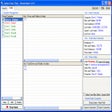
Everything per Windows
- Di David Carpenter
- Gratis
- 1.4.1.1030

Specifiche tecniche
- Titolo
- Everything 1.4.1.1030 per Windows
- Requisiti
- Windows 11
- Licenza
- Gratis
- Ultimo aggiornamento
- Autore
- David Carpenter
- SHA-1
24512d9cd9398af877c8f95455d11d8e36645b26
- Nome file
- 1.4.1.1030.msi
Programma disponibile in altre lingue
Everything per Windows
- Di David Carpenter
- Gratis
- 1.4.1.1030
Changelog
Non abbiamo ancora informazioni sul changelog per la versione 1.4.1.1030 di Everything. A volte gli sviluppatori impiegano un po’ di tempo per fornire queste informazioni. Ti invitiamo a ricontrollare tra qualche giorno.
Ci puoi aiutare?
Se hai informazioni sul changelog, non esitare a condividerle con noi. Ci piacerebbe ascoltarti! Vai alla nostra Pagina Contatti e facci sapere.
Esplora App










Programmi correlati
Scrap Everything
Mod gratuito per Fallout 4 che semplifica la demolizione
Everything about GTA San Andreas
Guida completa a GTA San Andreas
Everything Toolbar
Un ottimizzatore di ricerca ad alta velocità gratuito
Everything was a Nightmare
Un'avventura horror da brivido
EverythingCmdPal
Potenzia la tua Ricerca con EverythingCmdPal

Gom Cam 64-bit
Gom Cam is a desktop video capture app that is packed with useful features. It allows you to record anything on your PC Screen, whether that be webcam feed, presentations, video calls, or gaming screens. With GOM Cam you can record what you see on your PC screen exactly as it appears. You can also record all audio outputs from your PC as well. This allows you to create more dynamic videos. You can also capture images and customize your capture by drawing on the screen while recording.Not only can you record your screen, but you can edit them on GOM Cam instantly. Select as many sections as you like and set a background music to bring your video to the next level. A great feature of GOM Cam worth mentioning is that it is a life-time long product. Which means once you purchase a license, your minor updates for the purchased version are offered for free. Key Features include: Easy To Use:The intuitive UI allows anyone to use GOM Cam easily. GOM Cam saves you time and effort by helping you get straight to recording what you want. Easy Sharing: Share your videos on YouTube or Facebook, so more of your friends can enjoy your creations. You can also upload your videos to Google Drive or attach your files to emails and documents. Extract Audio: Extract audio from recorded clips and save it as a file. This is useful when you want to listen to background music only, or study languages. Lecture recording: Functions for making school or online class materials are provided in one-step. Record in Real-Time: Record everything in real-time. All of the functions, including drawing, enlarging/reducing the recording screen, and the effects settings, are executed in real-time. Gom Cam Video Editor: Gom Cam has Quick edit and advanced edit features that let you add music, and crop sections of clips as you see fit. Continuous Capture: Continuous capture is supported for your set time and desired quantity. GIF Animation: Make funny animated GIFs with just a few clicks. By connecting a webcam to your PC, you can record everything captured through your device. If you connect multiple webcams, you can merge the images into one video. GOM Cam also allows you to fill the video background with any images you want by using the chroma key function. Gom Cam also allows you to set & search tags. You can set tags (keywords) for saved files on the file list, and then search files easily using the set tags. Overall, GOM Cam is a great tool with various uses and capabilities. You can capture images, during recording mode, draw on videos, zoom in/out, schedule recordings, and manage effects. It is lightweight, and consumes minimal system resources. *The Free version limits recording time to 20 minutes, and includes advertisements.
EverythingPowerToys
Potenzia la ricerca con EverythingPowerToys
Everything.NET
Interfaccia elegante in modalità scura per tutto
Psycutlery
Psycutlery: Un'Avventura Aliena Unica
CCleaner Free
Pulizia e ottimizzazione rese semplici
EverythingToolbar
Recensione di Everything Hammerbar - Windows 10 x86

Adobe Acrobat Reader DC
L'applicazione con cui leggere e modificare gratuitamente i file PDF









Ultimo aggiornamento
VideoPad Masters Edition
Recensione di VideoPad Masters Edition - Registrazione video, registrazione audio, editing video
Argente Registry Cleaner
Ottimizza il tuo sistema con Argente Registry Cleaner
Flycast
Rivivi i giochi Dreamcast con Flycast
3D Builder
Microsoft 3D Builder: Uno Strumento 3D Facile da Usare
One Commander
One Commander: Gestione File Avanzata per Windows
RaiDrive
RaiDrive: Accesso Facile a Google Drive
Ultracopier
Il miglior software per la copia dei file
Spicetify
Personalizza Spotify con Spicetify
Synergy
Controllo di più dispositivi contemporaneamente
MathType
Creatore ed editor di equazioni
Kindle Comic Converter
Strumento Efficiente per la Conversione di Fumetti
Retro Signature
Font Elegante per Personalizzazione Creativa









Ultima versione
Everything 1.4.1.1032
Versioni precedenti
Everything 1.4.1.1026
Everything 1.5.0.1391
Everything 1.5.0.1383
Everything 1.4.1.1024
Everything 1.4.1.1022
Everything 1.4.1.1015
Everything 1.4.1.1009
Everything 1.4.1.1005
Everything 1.4.1.969
Everything 1.4.1.965
Popolare in Ricerca
Agent Ransack
XSearch
Multiple Search and Replace
Super Finder XT
FileSearchy
InFile Seeker
WebBrowserBookmarksView
Index Your Files
Ava Find
Hddb File Search