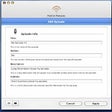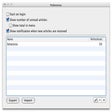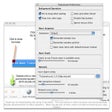
Times Mac 版
- 由 Acrylicapps
- 试用版
- 1.1.3
相关软件

Times Tables Warp
吸引孩子的数学学习工具

FlagTimes - The time zones app
使用FlagTimes进行高效的时区管理

Bandizip for Mac
Bandizip for Mac is an all-in-one Zip Archiver for the Mac platform. It can handle most popular compression formats, including Zip, 7z, and Rar. It is both lightweight and lightning fast, utilizing a rapid Zip algorithm for compression & extraction with fast drag and drop functions, high speed archiving, and multi-core compression. Key features include: All-inclusive compression/decompression/browsing/editing App. Supported OS: macOS Sierra(10.12), High Sierra(10.13). Extraction for 30+ formats, including: RAR/RAR5/7Z/ZIP. ZIP and 7z compression. ZIP file modification (add/delete/rename). Up to 6 times faster compression than the Finder using multi-core. Encrypted archive creation. Supports AES256 encryption algorithm. Supports compression of 4 GB or more size file. Unicode or MBCS filename for ZIP format. Multi-volume archive creation of ZIP/7z format. Supported formats: 7Z, AES, ALZ, ARJ, BH, BIN, BZ, BZ2, CAB, Compound(MSI), EGG, GZ, IMG, ISO, ISZ, LHA, LZ, LZH, LZMA, PMA, RAR, RAR5, SFX(EXE), TAR, TBZ, TBZ2, TGZ, TLZ, TXZ, UDF, WIM, XPI, XZ, Z, ZIP, ZIPX and ZPAQ. Easy view of an archive's file list. Extraction of selected files only. Also supports drag & drop. Availability of ZIP & RAR format archive comment. One-step extraction of TGZ/TBZ formats. Bandizip for Mac supports ZipCrypto and AES 256 encryption algorithms for higher security. It also has support for split compression to certain sizes, such as 10MB or 700MB. Besides Windows standard split compression formats such as zip, z01, and z02, it securely supports ALZ, EGG (alz, a01, a02, and vol1.egg, vol2.egg, 7Z(7z.001, 7z.002, and RAR (part1.rar). Bandizip for Mac is lightweight, has stacks of support features and utilizes super quick Zip algorithms for compression and expansion. so, If you need to change your current Zip utility then Bandizip for Mac is a great tool to consider.

Arch Calendar: Time Blocking
使用 Arch Calendar 精简您的日程安排

Timings
高效的时间跟踪与 Timings

OnyX
OnyX is a simple and powerful optimization tool for keeping you mac in top shape. This version requires Mac OS Mountain Lion, but other versions are available for Mac OS X 10.2 and higher. On running OnyX for the first time, it will run a S.M.A.R.T. verification check on the hard disk which helps in preventing any kind of system failures and will also makes sure that the volumes are clean so that you don’t experience an unusual volume structure. A good help guide aids application use with clear explanations and step by step guides. With OnyX you can set the number of parameters to be checked by the application which can include Spotlight, iTunes, Expose and even Dock. The fonts, user and even system files are cleaned completely by this application. You will need to close applications to clean them properly though. This helps Onyx work faster and more efficiently. It also comes with an automation option which helps you in keeping your hard drive clean at all times and maintains any issues that occur in this part. Those who have been facing system issues or start up issues with their Macs will find OnyX to be a useful utility. The application can also be used to delete logs from the computer or clear the system cache as well. It comes with a dialogue based interface as well and is a beginner friendly application. It is quite a flexible application too. It was launched only in 2003 and has a good development record. Overall, a good choice for all users.

Time Calculator
高效的时间管理与时间计算器
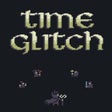
Time Glitch
适合Mac用户的引人入胜的策略游戏

Time Enforcers
适合所有年龄段的引人入胜的时间旅行冒险

Mail Time
迷人的冒险游戏适用于Mac用户

Time Palette
时间调色板:高效的时间和距离计算器

Stellarium
Stellarium for Mac provides you with accurate data about the night sky, which can be used by professional and amateur astronomers alike. Basically it's a planetarium for your computer. The application shows a realistic sky in 3D; the same as what you'd see with a telescope. Key features include: Default catalog of over 600,000 stars (extra catalogs with more than 210 million stars). Asterisms and illustrations of the constellations. Constellations for 20+ different cultures. Images of nebulae (full Messier catalog). The planets and their satellites. Very realistic atmosphere, sunrise and sunset. Realistic Milky Way. Stellarium for Mac has a great looking interface that can be accessed by all levels of user. It comes with a powerful zoom feature, time control, fish-eye projection for planetarium domes, extensive keyboard control and telescope control. Stellarium for Mac also comes with plugin control, so you can add functions like artificial satellites, ocular simulation, and telescope configuration. You can also add to your database, new solar system objects from online resources. Looking for the Windows version of Stellarium for Mac? Download Here