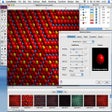
Family Mac 版
- 由 Saltatory
- 试用版
- 2.0.2
相关软件
Family Medical History
综合家庭医疗历史工具
Malwarebytes for Mac
!–– Affiliate Banner Start ––> .descbannerbtn { font-family: Arial,Helvetica,Sans-Serif; background: linear-gradient(#fc8f32 0,#e26a0c 100%)!important; border: solid 1px #be5b0c; color: #fff;text-align: center;font-size: 14px;float:right; display:block;width:141px;height:30px;letter-spacing: 1px; font-weight: 600 !important;font-size: 12px;} .descbannercontainer{padding-right:50px;padding-left:100px;background-color: rgb(243, 245, 249);width:660px;height:57px;padding-top:14px} .descbannerlink{font-size:16px !important;font-family: Arial,Helvetica,Sans-Serif !important;display:inline-block;float:left;padding-top:3px;font-weight: 600;} Save 25% on 2 year plans - $59.99 $79.98 !–– Add description below this line ––> Malwarebytes for Mac is a next-gen security app, which replaces the hugely popular ‘Malwarebytes Anti-Malware for Mac.’ This fresh, new product, delivers the most powerful security possible for the Mac platform, and protects you from the most advanced (zero-day) threats, making antivirus’ obsolete. Security specialists Malwarebytes have gone above and beyond with this latest offering. This new product not only replaces Malwarebytes Anti-Malware for Mac, but it also betters it. Malwarebytes for Mac combines all of the previous malware-fighting technology, anti-malware, anti-ransomware, anti-exploit and malicious website protection, and wraps them into a solid app that comes with a sleek new interface that is able to scan 4x faster than previous versions of Malwarebytes Anti-Malware for Mac. Key Features include: Protects you from advanced (zero-day) threats, including ransomware, so you can surf the Web without worry. Removes all traces of malware for complete safety. Removes potentially unwanted programs (PUPs) that make your computer run poorly. Scans fast so you don’t have to sit around and wait for your security to finish working. Easy to use, just set it and forget it. Can replace antivirus or run alongside other antivirus programs. Small Footprint. The great thing about Malwarebytes for Mac is that it has been specifically designed to either work along or replace your existing Antivirus. The app uses signature-less and behavior-based detection technologies to catch the latest and most dangerous threats out there. A standard Antivirus program relies on large databases of signatures, which can, and often do, become outdated quickly. Standard Antivirus programs are typically ineffective against many advanced threats. Malwarebytes for Mac can successfully replace all your current antivirus products as your primary cybersecurity solution. Malwarebytes for Mac Premium is $39.99/year for 1 seat and $10.00 per additional seat (Max Total 10 seats). This download provides a 30 day trial version of the app.
Microsoft Office 2011 for Mac
Microsoft Office for Mac 2011 provides you with a familiar work environment, which is versatile and intuitive. The suite provides new and improved tools, which make it easy to create professional looking content. This coupled with improvements in the speed and agility of Microsoft Office for Mac 2011, makes for an impressive package. Key features: Improved compatibility: You can share files with confidence knowing that the documents you create using Office 2011 for Mac will look the same and work seamlessly when opened in Office for Windows. Create professional content: Publishing Layout view combines a desktop publishing environment with familiar Word features, giving you a customized workspace designed to simplify complex layouts. Also, visual styles provide you with consistent formatting that is easy to apply. Familiar, intuitive tools: Familiar Office for Mac tools are available as are template galleries that give you easy, organized access to a wide range of online and custom templates and recently opened documents. Microsoft Office for Mac 2011 lets you create great-looking documents, spreadsheets, and presentations. You can communicate and share with family, friends, and colleagues, whether they're on Macs or PCs.
Virtual Families
适合Mac用户的引人入胜的模拟游戏

Voilabits PhotoCollageMaker
PhotoCollageMaker is an easy-to-use collage app. You can make greeting cards, postcards, A4 printing or whatever else your imagination can come up with. The app is simple to use with a crisp interface and has a stack of customizable elements such as free templates, text, backgrounds and clip-arts for you to use. Key Features Include: Save your work in a choice of image formats, share to Facebook and Twitter or print your finished design. Supported input formats: JPG, BMP, JPEG, GIF, PNG, TIFF, TIF, ICO, ICNS, TGA, PSD. Supported output formats: JPEG, JPEG-2000, PNG, Bitmap, TIFF, GIF. Collage photos with free templates in various themes and shapes. Simplified user interface. PhotoCollageMaker has over 50 free templates to choose from (some good, some not so good). The app provides you with numerous ways to arrange your photos from different events, family vacations, or special moments and then email, share or print your work. The app has a simple to navigate user interface coupled with a better than average photo editor. This makes PhotoCollageMaker a good app for the creative user, although you may find the selection of templates not big enough. System Requirements: OS X 10.7+, 100 MB space.

FaceTime
FaceTime, Apple's answer to Skype, is one of the favorite video calling apps that allows you to keep in touch with family and friends through Apple devices. Getting started is easy, when you open FaceTime, you will see yourself on the screen and be required to enter your Apple ID. It sets up quickly, adding your address book directly from the Mac so that you can immediately call anyone who is available to chat with you. You can use every inch of the Mac display with the full screen display option, while the wide aspect ratio makes it easier for the whole family to participate in a group call. If a caller is using an iPhone, iPad or iPod Touch and they rotate the device, then the view smoothly transitions from portrait to landscape and vice versa. With a minimal interface FaceTime is a great video chat application that is easy to use and is certainly one of the best options for helping you communicate between your Mac and family or friends using Apple devices.
Lizard Noisemaker
使用蜥蜴发声器创造独特的声音
King of the Hat
在《帽子之王》中令人兴奋的多人动作

Google Chrome
谷歌改变游戏规则的浏览器Mac版Chrome结合了先进的技术和简单的用户界面,可提供更快,更安全,更轻松的浏览体验。 Google持续快速的开发周期确保Chrome for Mac继续紧随Safari在Mac浏览器市场中的主导地位。 速度 我们认为Firefox不错,但Chrome不仅在速度上胜过它,而且对Mac CPU的负担也较小。这意味着您不仅可以更快地浏览,而且可以同时运行其他应用程序。借助强大的JavaScript引擎,Google Chrome浏览器启动速度极快,可快速运行应用程序,并使用WebKit开源呈现引擎快速加载页面。通过简化的用户界面添加到此更快的搜索和导航选项中,您将拥有一个浏览器,其速度实在令人难以抗拒。 干净,简单的用户界面 虽然这对PC用户来说是一个革命性的领域,但由于Safari,Mac用户已经习惯了使用纤细外观的浏览器。我们认为Chrome对此有所改善-自2008年测试版推出以来,简单的UI并没有太大改变。浏览器由3行工具组成,顶层自动自动调整选项卡水平叠放,旁边是一个简单的新选项卡图标以及标准的最小化,扩展和关闭Windows控件。中间的行包括3个导航控件(“上一步”,“前进”和“停止/刷新”),一个URL框(还允许直接Google网络搜索)和一个星形书签图标。扩展程序和浏览器设置图标排列在URL框的右侧。第三行由书签文件夹和已安装的应用程序组成。与2008年前流行的浏览器拥挤不堪的工具栏相比,这种简洁的UI现在很容易被人忽略。 隐私 另一个非常流行的功能是隐身模式,通过禁用历史记录,减少可跟踪的面包屑并在关机时删除跟踪Cookie,您可以私下浏览。 Chrome的设置还允许您自定义常规的浏览隐私首选项。 安全 Chrome的沙箱功能可防止恶意软件自动在Mac上安装或影响其他浏览器标签。 Chrome浏览器还内置了带有恶意软件和网络钓鱼防护功能的“安全浏览”技术,如果您遇到涉嫌包含恶意软件/活动的网站,则会向您发出警告。定期的自动更新可确保安全功能是最新且有效的。 客制化 种类繁多的应用程序,扩展程序,主题和设置使您的浏览体验独树一帜。使用Google Chrome商店中的应用和扩展程序,可以提高生产力,安全性,导航速度以及您能想到的几乎所有功能。安装由顶级艺术家创作的主题,或者使用mychrometheme.com自行制作主题。使用您的Google帐户登录以备份您的联系人,首选项,历史记录,并通过一次登录即可访问所有Google工具。 程序提供商已限制发行此产品的旧版本。 FileHippo对由此带来的不便深表歉意。
BlueStacks App Player
适用于Mac的BlueStacks App Player是一款出色的工具,可让您使用Mac在浏览器中全屏运行自己喜欢的移动应用/游戏。 Mac版BlueStacks App Player的主要功能 完全可定制的环境。 支持多种操作系统配置。 Google Play整合。 安装后,适用于Mac的BlueStacks App Player可以配置为与您选择的流行社交媒体平台(例如Facebook或Twitter)一起使用。当环境运行Android应用程序时,您可以将Mac版BlueStacks App Player配置为与您的Google Play帐户一起使用,以便您可以访问所有喜欢的应用程序和游戏! Mac的BlueStacks App Player的用户界面可以完全配置以满足您的需求。此外,它还可以与Apple设计和开发的自定义软件体验相集成。 您可以通过Mac的BlueStacks App Player享受完整的Android环境,或者,如果愿意,您可以直接在Mac桌面上安装Android应用程序图标。 适用于Mac的BlueStacks App Player支持多种语言。 寻找Windows版本的BlueStacks App Player?在这里下载

Cyberlink PhotoDirector Ultra
PhotoDirector Ultra is a complete photo adjustment and design suite for editing awesome photos on your Mac. It is designed to kickstart your creativity and help you to edit impressive photos for family, travel, landscapes and portraits. With a great range of automatic and manual editing tools, you'll get perfect portraits and landscapes every time. It supports automatic lens corrections with an ever-growing collection of over 100 lens profiles, and a range of manual adjustment tools including dehaze, defringe, motion and blur tools, and 'beautification' tools to make your images pop. Key features include: Video-to-photo editing. Color splash. Face swap. Beautification tools. Colour and tone adjustment. Create animated GIFs. Comprehensive frame and watermark tools. Create advanced slideshows. Supports RAW file format. Layer editing. 360 photo editing. Smart panorama from video. Motion and blur tools. You can create incredible landscape and travel photos with PhotoDirector Ultra for Mac. With video-to-photo editing, you can take the perfect photo snapshot from your video and create photos with motion. With 360º photo editing, you can hide tripods and selfie-sticks, create amazing panoramas, and create your own little planet. PhotoDirector Ultra for Mac unlocks an incredible range of powerful editing techniques with advanced layer editing. Put together stunning images quickly and easily using express layer templates, then play with image layers to produce unique photographic effects. Overall, PhotoDirector Ultra for Mac is a complete photo adjustment design suite with advanced editing tools to create awesome family and travel photos, landscapes and portraits. Enjoy a 30-day free trial of PhotoDirector Ultra so you can test all of its powerful features before deciding to purchase. Try it for yourself and kickstart your creativity today.
Spotify for Mac
借助Spotify,您可以随时随地在手机,计算机,平板电脑等设备上轻松找到合适的音乐。 Spotify上有数百万首曲目。因此,无论您是在锻炼,聚会还是放松身心,正确的音乐始终唾手可得。选择您想听的内容,或让Spotify令您惊讶。 您还可以浏览朋友,艺术家和名人的音乐收藏,或者创建一个广播电台,然后坐下来。 使用Spotify为您的生活配乐。订阅或免费收听。