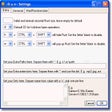
Run! Windows 版
- 由 N/A
- 免费
- 2.6.7
相关软件

NTLite Free 32-bit
NTLite Free 32-bit is an app for Windows administrators that allows you to edit Windows installation images, either 'offline' or 'live'. The 'live' edit mode is a unique feature that lets you modify already installed Windows OS' without re-installation. All you have to do is run the tool on the OS you want to edit, change what you need and reboot if necessary. NTLite Free 32-bit has an intuitive interface which is easy to use. The app makes use of dynamic menus, an easy image mount overview and single- file settings. Key Features Include: Intuitive interface. Disk partitioning. Highly customizable. 'Live' edit mode. The app has numerous features including component removal, language packs and app integration, disk partitioning and a pending changes overview. It is interesting to note that NTLite does not require .NET Framework to run under supported operating systems. This is useful as it enables the app to run faster and is more portable with less dependencies. Supported Windows versions include Windows 7, 8, 8.1 and 10 Technical Preview.
MyDefrag
MyDefrag (formerly JKDefrag) is a disk defragmenter and optimizer for Windows 2000/2003/XP/Vista/2008/X64. Completely automatic and very easy to use, fast, low overhead, with several optimization strategies, and can handle floppies, USB disks, memory sticks, and anything else that looks like a disk to Windows. Included are a Windows version, a commandline version (for scheduling by the task scheduler or for use from administrator scripts), a screensaver version, a DLL library (for use from programming languages), versions for Windows X64, and the complete sources. Why use this defragger instead of the standard Windows defragger? Much faster. Totally automatic, extremely easy to use. Optimized for daily use. Disk optimization, several strategies. Directories are moved to the beginning of the disk. Reclaims MFT reserved space after disk-full. Maintains free spaces for temporary files. Can defragment very full harddisks. Can defragment very large files. Can defragment individual directories and files. Can be run automatically with the Windows Scheduler. Can be used from the commandline. Can be used as a screen saver. Can be run from cdrom or memory stick. Sources available, can be customized. JKDefrag was open source, but from version 4, when it changed its name to MyDefrag, it is closed source.

Triangle Run
免费的无尽赛跑者

Virtual Router Plus
With Virtual Router Plus, you can wirelessly share any Internet connection with any WiFi enabled device. Devices connect to Virtual Router just like any other access point, and the connection is completely secured using WPA2. As VirtualRouter Plus, in effect, converts your PC into a WiFi router, it allows you to create a home network with which you will be able to connect your WiFi enabled devices in no time. Whether that be a cell phone, a tablet, a laptop, a Netbook, or a wireless printer. Key Features include: Supports Windows 8. No installation required. Lightweight. To get started with VirtualRouter Plus, simply click on the app to run it and choose a name and password for the network that you are going to create. Next up, click on Start VirtualRouter Plus and voila! you now have a Wi-Fi access point. Virtual Router Plus is a small, open source app for computers that run Windows 7, Windows 8, Windows Server 2008 R2 and Windows Server 2012. If your router is not Wi-Fi enabled, then VirtualRouter Plus maybe the way forward, especially if you run Windows 8. The app is very easy to use and required no installation. The only issue we found was with stability.
VMware Workstation Pro
There are numerous virtual environment provides on the market today, some put ease of use above functionality, other place integration above stability. VMware Workstation Pro is the easiest to use, the fastest and the most reliable app when it comes to evaluating a new OS, or new software apps and patches, in an isolated and safe virtualized environment. Key Features include: Powerful 3D Graphics - DirectX 10* and OpenGL 3.3 support. VMware Compatibility - Create one; Run anywhere on VMware software. vSphere and vCloud Air Support - Drag and drop VMs between environments. Restricted and Encrypted VMs - Protection and performance enhancements. Expiring Virtual Machines - Time-limited virtual machines. Latest Hardware Support - Broadwell and Haswell CPU support. Enterprise Quality Virtual Machines - 16 vCPUs, 8TB virtual disks, and 64GB memory. Enhanced IPv6 Support - IPv6-to-IPv4 NAT (6to4 and 4to6). Virtual Machine Video Memory - Up to 2GB. Enhanced Connectivity - USB 3.0, Bluetooth, HD audio, printers, and Skype support. High Resolution Displays - 4K UHD and QHD+ support. VMware Workstation Pro is a perfect choice for those of you who are a little skeptical about making the leap over to Windows 10. By utilizing an app like this, you'll get to try out all of Windows 10's new features in a safe sandboxed environment, without the need to install the OS natively. VMware Workstation Pro doesn't just support Microsofts OS, you can also install Linux VMs, including Ubuntu, Red Hat, Fedora, and lots of other distributions as well. Overall, Workstation Pro offers high performance, strong reliability, and cutting edge features that make it stand out from the crowd. The full version is a little pricey, but you do get what you pay for.
Windows USB/DVD Download Tool
The Windows USB/DVD Download tool has been designed to allow you to create a bootable copy of your Windows 7/8 ISO file on a USB flash drive* or a DVD. In order to create a bootable DVD or USB flash drive, simply download the ISO file you need and then run the Windows 7 USB/DVD Download tool. once completed you can install Windows 7 or Windows 8 directly from the USB flash drive or DVD onto your system. To install Windows from your USB flash drive or DVD, just insert the USB flash drive into your USB port or insert your DVD into your DVD drive and run Setup.exe from the root folder on the drive. In order to create a bootable USB device you need to have a Windows image file and *USB storage device that is large enough to accommodate the files. Windows USB/DVD Download tool’s interface is easy-to-use and will walk you through all required steps and fields. Basically you select the ISO file and the storage device you wan to use and you are all set. Windows 7 USB/DVD Download Tool has notable advantages, namely, taking advantage of the USB drive speed and shortening the time it takes to install the operating system.

Icecream Screen Recorder
Icecream Screen Recorder is a useful application for screen capture and taking screenshots. It is intuitive and easy to use and gives you a complete suite of tools for professional screen capture with audio. It is great for recording webinars, games, and Skype videos in HD with ease. With Icecream Screen Recorder, you get some useful tools to customise your screen recordings and screenshots. It allows you to select a specific area to capture, record a specified region around the cursor to record, or record your entire screen. Key features include: Area selection. Drawing panel. Project history. Add custom watermark. Add webcam recording. Zoom while recording. Screenshot to URL. Configure custom hotkeys. Scheduled screen recording. Icecream Screen Recorder makes screen recording simple. It allows you to configure custom hotkeys to quickly switch between screenshot and screen recording modes, draw, start/stop recording, zoom in and out, and more. It also supports scheduled screen recording, so you can set tasks to run if you're busy elsewhere. With Icecream Screen Recorder, you can also edit your screen captures and recordings as required. You can cut unnecessary parts of the video after recording, convert the video format, and zoom in and out during recording. You can also add a custom watermark, or draw outlines, arrows, shapes and add text to your screenshot or during a screen recording. Overall, Icecream Screen Recorder is a handy tool for recording or taking a snapshot of your screen. It includes some useful tools for editing and to customise your recordings. Try it for free, or upgrade to the pro version to unlock all the features of Icecream Screen Recorder today.

RUN
2D 横向卷轴平台游戏

Nexus
The Winstep Nexus Dock is a FREE professional dock for Windows. With Nexus, your most frequently used applications are only a mouse click away - and Nexus turns working with your computer into a fun and exciting experience. The Nexus dock provides one-click access to frequently used applications, folders and documents. Main features: Display running applications on the dock with task grouping, filtering and icon customization options. Display system tray on the dock as single or grouped icons. Blur-Behind and colorization of dock backgrounds. Monitor active connections and bandwidth usage with Net Meter module. Get weather forecast for over 39,000 cities world-wide. Multiple mouse over effects: zoom, swing, bounce and more! Live icon reflections and animated water-like effects for reflections and dock backgrounds. Easily change appearance of icons of running programs and shortcuts by drag & dropping PNG, ICO and TIF files directly into the icon. Multi-monitor support. Compatible with skins for all 3rd party docks.
Next Run

Biniware Run
通过 Biniware Run 优化您的 Windows 体验

Short Run
通过命令工具高效程序启动器