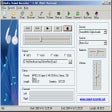
Audio Sound Recorder Windows 版
- 由 TIAN FANG
- 试用版
- 1.22.2.3
相关软件
Audacity
Audacity is a free, easy-to-use audio editor and recorder for Windows, Mac OS X, GNU/Linux and other operating systems. You can use Audacity to: Record live audio. Convert tapes and records into digital recordings or CDs. Edit Ogg Vorbis, MP3, WAV or AIFF sound files. Cut, copy, splice or mix sounds together. Change the speed or pitch of a recording. Add new effects with LADSPA plug-ins. And more!
Any Sound Recorder: audio recorder & voice recorder
任何录音机的综合评审
AV Voice Changer Software Diamond
AV Voice Changer Software Diamond is a great piece of voice manipulation software, that works both in real-time and from recordings, allowing you to do almost anything with your voice. It is the latest edition in the voice changer series, offering a full set of advanced features to help you take your voice editing to the next level. AV Voice Changer Software Diamond unlocks more advanced voice morphing features, including pitch control, voice beautifying, vowel enhancer and improved sound quality. It also allows you to change your voice in real-time, with compatibility for Skype, Twitch, Discord, and more. Key features include: Pitch-timbre controls. Change voice in real-time. Preset voice settings. 30 voice effects. 70 background effects. 40 audio effects. Audio player and recorder. Voice-over editor. Parody maker. Voice analyzer. Hot keys. File morpher. Voice beautifying. Vowel enhancer. Improved sound quality and noise reduction. AV Voice Changer Software Diamond includes voice-over capabilities, and is great for making a whole range of YouTube videos. It includes over 100 'nickvoices' (inspired by the term 'nickname') to use with any online nickname and personality, and you can use the built-in hotkey support to quickly change between nickvoices. This means you can produce some great voiceovers and videos with powerful voice effects to take your video editing to the next level. AV Voice Changer Software Diamond gives you the ability to analyze the four fundamental characteristics of voices: harmony, brightness, pitch and score. You can also use the parody mixer to create a new parody voice, by altering these four components. AV Voice Changer Software Diamond also includes access to the large and ever-growing library of voice and sound effect packs. Overall, AV Voice Changer Software Diamond is a great piece of voice-changing software that includes advanced voice manipulation capabilities. The diamond edition unlocks all the features of the AV Voice Changer software series, and gives free access to a huge library of add-on voice and sound effect packs. Find the standard version here. Find the gold version here.
Apowersoft ApowerREC
ApowerREC is being hailed as the “ultimate screen recorder” for a range of devices. As its name suggests, the product’s primary objective is to record anything on your screen. This can range from desktop activities to the live streaming of videos and meetings. The user will be able to capture the activity on the full screen or within a specifically set or customised region of the display. Audio will also be recorded, with the software boasting a great ability to keep videos synchronised with that sound. Moreover, you can record a video chat or make a tutorial video with the screen recording software by capturing the screen together with the webcam. Key features include: Edit videos Record webcam Task recording Convert video Take screenshots Record audio Flexible overlay toolbar Visual recording settings High output quality Apowersoft wanted their product to provide a “seamless screen recording experience” on all devices, and if the reviews are anything to go by – they succeeded. And they mean all devices, aside from being a powerful screen recorder for Windows and Mac it also provides screen recording for mobiles. ApowerREC also captures screen activities with audio from Android and iOS devices. The software manufacturer urges people to make the most of the product, promising them that they will see a cost-effective work and productivity increase. It is designed for business use, training, teaching and studying as well as gaming and general use. After you have captured your content you can then share it with the world through a variety of sites, including YouTube which can be uploaded to with just one click. Overall ApowerREC is a handy and wide-ranging product to have in your armoury. It does much more than just recording, with a brilliant ability to also capture audio as well as file conversion and footage editing. Available across almost all devices, the timeless product has already attracted a lot of great attention.
MP3myMP3 Free Sound Recorder
的优点和缺点
Camtasia
Camtasia Studio is an all-in-one screen recorder and video editor for Windows PC. It is a simple to use application that allows you to record and create professional-looking videos with ease. With Camtasia Studio, creating impressive presentations, YouTube videos, and tutorials has never been easier. Because it is so simple to use, it is a great piece of software for all users to create professional quality videos for a wide variety of purposes. Key features include: Screen recording for Windows PC. Webcam recording. Simultaneously record video and audio. Built-in video editor. Add effects, transitions and animations. Royalty-free music and audio library. Add interactive quizzes to your videos. Record and import presentations. Create picture-in-picture videos. Because Camtasia Studio allows you to record everything on your Windows PC screen and webcam, it can be used to create endless types of content. The built-in video editor allows you to add various transitions, effects, animations, and captions to your videos, making it perfect for creating tutorial videos and guides. Another impressive feature of Camtasia Studio is the built-in library of royalty-free music and sound effects. Simply choose an audio element to instantly upgrade your recording. It even includes audio editing features to ensure your video's audio is as good as it can be. Overall, Camtasia Studio is a useful all-in-one screen recorder and video editor for Windows PC. It is incredibly simple to use, and includes some great features to help you create professional-quality videos easily. Find Camtasia Studio for Mac. Check out the FileHippo guide to recording video games on PC for YouTube.
Sound Recorder Professional
一个适用于Windows的试用版应用,由sound-recorder.com提供。

Free MP3 Recorder for SoundCloud
The Free MP3 Recorder for SoundCloud has a reputation of being one of the best legal alternatives to downloading music and podcasts from the site. Producers are enabled through SoundCloud to allow the downloading of their work. This means all the original quality will be maintained and guaranteed, with the platform creator’s blessing. This is the first standalone programme which has been created to allow the user to record their favourite music from SoundCloud. Its method is “entirely different”, partly down to the fact audio is processed on the machine by stream-recording, not by stream-ripping. It records audio straight from the sound card of your computer and plays audio tracks in real time. Key features include: Record music files Easy to use Legal and straightforward way to download music Doesn’t require any registration Transfer downloaded files to any other device This can all be done in just four simple steps. First you must launch the programme and then copy and paste a SoundCloud link into the input field. Once you have done that you must choose your preferred output audio format, MP3 or FLAC. Then just simply click ‘Record’ and off you go. Don’t worry, all of the computer background noise – aside from the audio intended for recording – will be automatically disabled as soon as the recording process begins. All sounds are reinstalled as soon as the recording is finished. It allows recording any number of audio tracks from SoundCloud, and it is possible to add up to three links to the queue. Overall, NotMP3’s Free MP3 Recorder for SoundCloud is a popular programme thanks to its easy to use features and results. Music fans see it as a top solution for putting together a collection of their favourite tracks, as they can preserve the quality of the original and do so legally.
LINE
LINE allows you to share photos, videos, voice messages, contacts and your location information easily with your friends. You can get the latest news and special coupons for popular artists, celebrities,brands and TV shows. With LINE you can exchange free instant messages with friends whenever and wherever you like, with one-on-one messaging and group chats. LINE is available on all popular smartphone devices:iPhone, Android, Windows Phone, Blackberry and even on your PC. KEY FEATURES INCLUDE LINE Stickers: More fun and expressive chats, with over 10,000 stickers and emoticons. Timeline:Use Timeline to share texts, photos,videos, and stickers to exchange stories with your close friends. Snap Movie:Create top quality videos in just 10 seconds! You can add cool background music and share with friends. Add friends easily: Quickly add friends using the "Shake It!" function, a QR code, or a LINE ID. Looking for the Mac version of Line? Download it here.

Google Chrome
Google的顶级免费浏览器
Betternet Free VPN
Betternet是Windows专用的VPN,没有广告,也没有注册。 Betternet允许您匿名浏览Web,而不必担心被政府或ISP跟踪。您的IP将被更改,并且没有人可以跟踪您在Internet上的活动。 主要功能包括: 它是永远免费的。 它支持Windows 10、8.1、8、7。 无需信用卡。 无需注册或登录。 没有保存任何用户的日志。 简单的一键式连接。 它将您连接到最快的服务器。 Betternet使您可以访问所在国家/地区,学校或工作地点中整个被阻止的网站。您可以取消阻止Facebook,Twitter,Youtube和其他社交网络,并绕过政府的审查制度。 当您连接到公共wifi热点,蜂窝数据网络和其他公共场所时,Betternet可以保护设备的连接。 它就像免费代理一样工作,但更加安全。您的密码和个人数据受到保护,并且免受黑客攻击。 Betternet速度很快:它会自动检测您的位置并将您连接到最近的服务器;结果,您的连接将比其他提供商快得多。
Nexus
The Winstep Nexus Dock is a FREE professional dock for Windows. With Nexus, your most frequently used applications are only a mouse click away - and Nexus turns working with your computer into a fun and exciting experience. The Nexus dock provides one-click access to frequently used applications, folders and documents. Main features: Display running applications on the dock with task grouping, filtering and icon customization options. Display system tray on the dock as single or grouped icons. Blur-Behind and colorization of dock backgrounds. Monitor active connections and bandwidth usage with Net Meter module. Get weather forecast for over 39,000 cities world-wide. Multiple mouse over effects: zoom, swing, bounce and more! Live icon reflections and animated water-like effects for reflections and dock backgrounds. Easily change appearance of icons of running programs and shortcuts by drag & dropping PNG, ICO and TIF files directly into the icon. Multi-monitor support. Compatible with skins for all 3rd party docks.