相关软件
Any Video Converter
任何视频转换器是免费的视频转换器吗?
Any Video Converter Freeware
翻录 DVD 光盘 - 使用任何视频转换器免费软件节省时间和金钱
Any Video Converter Ultimate
任何视频转换器终极版

Free Any Video Converter
免费视频转换
Any Video/Audio Converter
选择适用于 Windows 的最佳视频和音频转换器
VSDC Free Video Converter
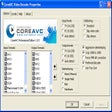
VSDC Free Video Converter is a powerful, feature-rich, multi-format video converter. With it you can edit and convert video files from one format into another. All popular video formats are supported, such as DVD, AVI, QuickTime Video (MOV, QT, MP4 and M4V), MPEG, WMV, FLV, Matroska Video (MKV), RealVideo (RM and RMVB), Mobile Video (3GP and 3G2), AMV, and HD-video (H.264/AVC, AVCHD/MTS/M2TS, TOD/MOD and TS). Key features include: Merge several files into one. Delete any video fragment. Split a file into parts. High conversion quality. High conversion speed. VSDC Free Video Converter has inbuilt advanced export presets to assist you in converting your video files. By using the export presets, you can choose the quality and format of the video you want without having to figure out the best format options. The application has a huge number of presets covering all formats and multimedia devices. What's more, they are editable, so you have the option to create your own and truly personalize your video files for playback on specific devices. VSDC Free Video Converter gives you the ability to save audio as well as individual frames from videos. You can save the audio track or a portion of it from a video file and then create your own soundtrack in any audio format you choose. Overall, VSDC Free Video Converter is easy to use, has stacks of presets and supports numerous video formats. The conversion process is seamless with no loss of quality and the ability to harvest audio from your video and make a personalized soundtrack is a real bonus in a free application such as this.
Video Converter - Any Video Editor, Video Clip
全面的视频转换和编辑工具
Free DRM Removal
免费删除 DRM
All Video Converter
所有视频转换器评论
IOTransfer
IOTransfer 3 is a lightweight, yet powerful iOS transfer and management tool. It effectively helps iOS users to manage their content freely, either on a PC or an iOS device. This handy application has been designed for various iOS devices including iPhones, iPads or iPods. Essentially, with IOTransfer 3 you have an easy way to transfer data between your device and a Windows PC. The new and updated IOTransfer provides the easiest way to transfer vital iOS data and brings some new features such as a new GIF Maker and enhanced Video Converter and Contacts features. So, users will now be able to create standout GIFs within seconds, as well as import or export their Outlook and Google contacts in CSV format. Looking for an easy-to-use video converter? This will allow you to add files by dragging and dropping. Simply put, with IOTransfer 3 you have a straightforward and convenient way to freely import and export music, videos, photos, podcasts, books, and voice memos between your iOS devices and your PC. It's a really useful tool that can help to stop you running out of space on your device and assists in keeping your latest data backed up. Key Features include: New GIF Maker, creates animated GIF in seconds. Online Video Downloader. Transfer and backup your important data. Video Converter newly supports adding files by drag and drop Save your video and movies. Transfer photos between iPhone and PC. Contacts, newly supports importing/exporting Outlook and Google contacts in CSV format IOTransfer deletes iOS photos safely. Manage iPhone photos on IOTransfer 3. 1-click upload iPhone music. Manage iPhone apps on IOTransfer 3. Manage iBooks. Transfer voice memos. Manage iPhone videos. Advanced Phone Clean. IOTransfer 3 comes with a Smart iOS Cleaner tool that can be used to scan and clean the iOS system on a regular basis, in order to keep devices running fast. By running the clean function in IOTransfer 3 you can remove useless data in order to free up more precious space. It is important to transfer and backup your data on a regular basis because accidents do happen, and people tend to rely upon their mobile devices more and more. The risk of losing everything on your iOS device and realizing that you have never backed anything up can be gut-wrenching. Thankfully, in addition to transferring your music, photos and videos, IOTransfer 3 is also a handy tool to transfer apps, books, voice memos or other files from your iOS device to your PC safely. A stand out feature of IOTransfer 3 is the Video Downloader tool. This allows you to download online videos from popular video sites such as Youtube, Vimeo, and Instagram etc. Not only can you download them, but you can save them to your PC, or directly to your iOS device, and all in the best supported resolution. IOTransfer offers you an easy and fast iPhone photo transfer and management solution. All your photos in your albums can be exported to your PC and stored as backups. You can also import any photos you want from your PC onto your iOS device as well. IOTransfer AirTrans allows you to wirelessly transfer music, photos, videos and more, between iPhone, iPad and computer via WiFi. Simply convert videos to other audio or video formats like MP4, AVI, MKV, FLV, MP3 and more. Overall, IOTransfer 3 is a great iTunes alternative that in many respects, is easy to manage and not as cumbersome to use as Apple's alternative. The interface is simple to use and easy to navigate and the app has a relatively small footprint.

Aiseesoft Free FLV Converter
Use Aiseesoft Free FLV Converter to quickly and easily convert FLV, F4V or SWF video files to MP4, MOV, AVI, WMV, MP3 and other popular formats compatible with popular portable iOS and Android devices. This fast, versatile converter offers a host of great features, pre-sets and customizable functions. Key features include: Fast: With its fabulous acceleration technology, the program can convert FLV with fast speed. Convenient: Use the snapshot feature at any moment to preview the imported FLV videos. Batch conversion: Convert two or more FLV, F4V, SWF videos to other files simultaneously and effectively. Customizable: customize the resolution, bitrate, frame rate, encoder, audio channels, sample rate and more! Convert 2D video to 3D: You can convert FLV, SWF and F4V video files to 3D videos which can be played on your computer, 3D TV, and other compatible display devices. It provides you with a range of 3D modes – Anaglyph 3D (red/cyan; green/magenta; amber/blue), Side by Side 3D, and Top and Bottom 3D. Extract audio: Aiseesoft Free FLV Converter enables you to extract FLAC from the imported FLV, F4V, SWF video. With the brilliant FLV to MP3 converter, you can easily convert FLV, F4V or SWF to MP3, M4A, WMA, WAV, AC3, AAC without any audio loss.
TuneFab M4V Converter
Legal and legitimate iTunes, M4V movies, music videos, and TV shows usually have some sort of DRM protection and are saved in the M4V file format. So, despite legally owning the content you still have some annoyances with DRM to deal with. In essence, this means you can't play your files on non-Apple devices, such as an Android smartphone or your XBox One or PS4 Pro console, etc. One solution is to make sure that all your media and mobile tech devices are Apple products. But not everyone can afford to, or indeed even want to, especially if you use Windows OS as your desktop of choice. Enter TuneFab M4V Converter! The app offers you a solution to overcome such problems, by getting rid of DRM restrictions from protected M4V and converting them to MP4 formats o you can play your legally owned content on whatever device you want. Key Features include: Strip DRM from iTunes Rental & Purchases. Convert M4V to Lossless MP4 Format. Keep 5.1 Audio, AD Track and Subtitles. Easy-to-Use and Fast Conversion Speed. TuneFab M4V Converter can help you to legally strip DRM from both iTunes purchased and rented M4V videos. This lets you watch the iTunes movies, TV shows and music videos on whatever device you want. You can convert any protected M4V videos including iTunes movies purchases or rentals, TV shows, episodes, music videos, etc. to MP4 with lossless quality, and 100% original video quality will be preserved. This application can keep AC3 Dolby 5.1 audio & AD track when converting iTunes videos. TuneFab M4V Converter Multi-language subtitles including CC and audio tracks (including audio descriptions) of iTunes videos can also be saved with this powerful DRM Removal software. Even better, you can do all the above and choose the language you want it to be played in. TuneFab M4V Converter provides an easy-to-use interface which makes the M4V to MP4 conversion as intuitive as possible. Every user can finish the conversion within few clicks. And it can perform its task in a short time. You can also convert multiple files at a time as it supports batch conversion.