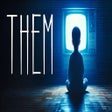
Them pour Windows
- Par Lexip Games
- Payant
- 1.3
Programmes associés

Bitdefender Antivirus Free
Bitdefender Antivirus Free Edition has been designed from ground up towards enabling you to do whatever you enjoy doing most with your computer, while staying 100% safe from e-threats. Bitdefender uses its own proprietary technologies, while also improving on basic ones which it then integrates for maximum protection. Features: Real-time Shield - The real time shield is designed to protect access to the entire system. This means that files are scanned as they are accessed or copied. For example, the files you just downloaded from the Internet are scanned immediately. Active Virus Control - Active Virus Control is an innovative proactive detection technology that is able to detect new potential threats for which default protection has not yet been released, very fast and accurately, thus providing an essential protection layer. Intrusion Detection System - This technology makes sure that applications trying to access the Internet or the network are not masked e-threats, by marking them whenever its behavior is suspect and by stopping them if the score becomes high. B-Have - B-HAVE proactively detects unknown threats that other products miss by analyzing applications behavior in a safe environment. If no malicious actions are detected, B-HAVE starts the program normally; otherwise, it will automatically quarantine or delete it. HTTP Scanning - Bitdefender Antivirus Free Edition also scans all the links you are accessing from your browser, checking them for various scams or credit card phishing attempts and blocking them when they are unsafe. Anti-rootkit - This technology is used to scan and block rootkits, a stealthy type of software, often malicious, designed to hide the existence of certain processes or programs from normal methods of detection and enable continued privileged access to a computer.
Windows 7 Theme Manager
Personnalisez votre expérience Windows 7 facilement
Theme Hospital Theme
Personnalisez votre bureau avec Theme Hospital
Dark Theme
Thèmes de mode sombre pour Windows
CyberLink YouCam
YouCam 6 from Cyberlink is an all in one webcam and camera utility. The suite gives you creative control over your images with the ability to edit photos and videos and add special effects. With Cyberlink's YouCam 6 you can create video presentations with narration and desktop animations. YouCam 6 provides you with all the WebCam and Camera tools that you will need for work and play! KEY SUITE FEATURES INCLUDE: Fun WebCam: Apply over 200 cool video effects for WebCam chat and video recording. Creative Camera App: Capture HDR and panorama photos and edit photos with easy-to-use tools. Work Smart: Create effective presentations and tutorials with a host of productivity tools. Easy Organize: Browse your media with calendar view and tag them with faces.
Nexus
The Winstep Nexus Dock is a FREE professional dock for Windows. With Nexus, your most frequently used applications are only a mouse click away - and Nexus turns working with your computer into a fun and exciting experience. The Nexus dock provides one-click access to frequently used applications, folders and documents. Main features: Display running applications on the dock with task grouping, filtering and icon customization options. Display system tray on the dock as single or grouped icons. Blur-Behind and colorization of dock backgrounds. Monitor active connections and bandwidth usage with Net Meter module. Get weather forecast for over 39,000 cities world-wide. Multiple mouse over effects: zoom, swing, bounce and more! Live icon reflections and animated water-like effects for reflections and dock backgrounds. Easily change appearance of icons of running programs and shortcuts by drag & dropping PNG, ICO and TIF files directly into the icon. Multi-monitor support. Compatible with skins for all 3rd party docks.
Folder Lock
Folder Lock is great security app that lets you password-protect files, folders and drives; encrypt your important files on-the-fly, backup files in real-time, protect portable drives, shred files & drives and clean history. Folder Lock can password-protect, lock, hide and encrypt any number of files, folders, drives, pictures and documents in a matter of seconds. The protected files are hidden, cannot be deleted and are also inaccessible and highly secure. It can hides files from kids, friends and co-workers, and safeguards them from viruses, trojans, worms and spyware It can even protect them from networked PCs or cable users and hackers. Files can also be protected on USB Flash Drives Memory Sticks, CD-RW, floppies and notebooks. Protection works even if files are moved from one PC to another on a removable disk, without the need to install any software. Folder Lock locks files in Windows, DOS and even Safe Modes. Key features include: Lock files, folders & drives. On the fly encryption. Encrypt files & folders. Backup files to a secure cloud. Protect USB/CD/Emails. Make Wallets. Shred files. Clean History. Stealth Mode. Folder Lock is well built, flexible application that offers more than just locking down folders. You also have the option to create virtual encrypted Wallets, for storing data such as addresses and bank information. You can also back up all of your encrypted data to the cloud. Folder Lock's configuration settings are comprehensive and password protected for extra security. Folder Lock also comes with some additional options including Stealth Mode, Hacker Attempt Monitoring, Shred files, AutoLock, Auto Shutdown PC, Lock your PC, Erase PC tracks, 256-bit Blowfish Encryption and Context Menu in Explorer. Folder Lock is an excellent folder protection application that has Windows Explorer integration, Loads of lockable options and a wallet feature. It also comes with some good extras such as the back up and shred tools. Overall, Folder Lock is just what you need to secure your data in a simple, albeit ugly, interface.
Paint.NET
Paint.NET is free image and photo manipulation application for the Windows platform. Every feature of Paint.NET, including the user interface, was designed to be immediately intuitive and easy to learn without assistance. Key Features Include: Special effects tools include: blurring, sharpening, red-eye removal, distortion, noise and embossing. 3D Rotate/Zoom effects make it very easy to add perspective and tilting. Image manipulation tools include: brightness, contrast, hue, saturation, curves, and levels. You can also convert an image to black and white, or sepia. In order to navigate multiple images easily, Paint.NET uses a tabbed document interface. The tabs display a live thumbnail of the image instead of a text description. Paint.NET uses a layers system to form the basis for rich image composition. Layers are likened to a stack of transparency slides that, when viewed together at the same time, form an image.
UltraISO
UltraISO is an ISO/CD/DVD image file creating tool, which also allows you edit and convert ISO/CD/DVD image files. UltraISO also has a bootable CD/DVD function, so that you can directly edit CD/DVD image files. With UltraISO you can open image files, directly extract files and folders and edit and convert other image files to the standard ISO format. Key features: Duplicate disc to CD/DVD images. Build files/folders to one ISO file. Edit and convert ISO files in many formats. Make bootable CD/DVDs. Create/edit Audio CD Image. Overall, the app is easy to use with a standard interface, but it lacks some of the more polished features of other ISO editors that are available. That being said, it supports almost all image file formats and can convert them to the ISO standard. The app also integrates in the Windows shell to enable easy 'right click' access to the app's main functions.
Mac OS X Theme
Simplifier le système Windows OS X
Windows 7 Theme
Comment obtenir l'installation de votre thème Windows 7 rapidement et facilement
Windows 8 Theme
Thème Windows 8 pour Windows 7 Télécharger
Universal Theme Patcher
Un correcteur de thème universel pour Windows XP