
Shell pour Windows
- Par Nilesoft
- Gratuit
- 1.9.18
Programmes associés

Classic Shell
La coquille classique Classic Shell est un programme gratuit très populaire, avec plus de 15 millions de téléchargements à ce jour. Si vous aimez l'aspect et la convivialité de l'expérience des fenêtres de l'ancienne école, alors ce logiciel est pour vous. Principales caractéristiques incluses : Menu de démarrage personnalisable, avec plusieurs styles et peaux Barre d'outils et barre d'état pour l'explorateur Windows Bouton de démarrage pour Windows 7, Windows 8 et Windows 8.1 Pour obtenir un environnement Windows très esthétique, très personnalisable et facile à appliquer, ne cherchez pas plus loin que Classic Shell.

XnView Shell Extension
Optimisez la gestion de vos fichiers avec XnView

Shell Tools
Améliorez votre expérience avec Shell Tools

MongoDB Shell
Interface JavaScript interactive pour MongoDB
Open-Shell
Révolutionnez votre menu Démarrer avec Open-Shell

Sheels Hindi to English Dictionary
Le Sheels Hindi to English Dictionary est une application simple qui permet à l'utilisateur de mieux comprendre la langue hindi. L'interface est facile à utiliser, même si l'interface graphique n'est pas très intéressante. L'application a de bonnes fonctions, qui sont regroupées dans la barre d'outils verticale au milieu de la fenêtre principale. Le Sheels Hindi 2 English Dictionary propose deux types de dictionnaires : hindi à anglais et anglais à hindi. Il dispose également de touches de raccourci spécialisées pour passer plus rapidement d'une langue à l'autre. Les principales caractéristiques sont les suivantes : Clavier hindi. Interface conviviale. Possibilité de recherche phonétique ou en script Devnagari. Base de données de 2.00.000 mots. Passez de l'hindi à l'anglais et de l'anglais au dictionnaire hindi sans problème. Dans l'ensemble, le dictionnaire anglais Sheels Hindi 2 dispose d'un ensemble de fonctionnalités de base qui ont été développées pour être faciles à utiliser et très efficaces. L'interface utilisateur est facile à prendre en main et l'application elle-même est relativement légère.

Link Shell Extension (64-bit)
Un programme gratuit pour Windows, par Hermann Schinagl.
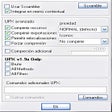
UPX Shell
Outil Efficace pour la Compression d'Exécutables

Android SDK Platform-Tools ADB
Gestion efficace avec les outils de plateforme Android SDK

UltraISO
UltraISO is an ISO/CD/DVD image file creating tool, which also allows you edit and convert ISO/CD/DVD image files. UltraISO also has a bootable CD/DVD function, so that you can directly edit CD/DVD image files. With UltraISO you can open image files, directly extract files and folders and edit and convert other image files to the standard ISO format. Key features: Duplicate disc to CD/DVD images. Build files/folders to one ISO file. Edit and convert ISO files in many formats. Make bootable CD/DVDs. Create/edit Audio CD Image. Overall, the app is easy to use with a standard interface, but it lacks some of the more polished features of other ISO editors that are available. That being said, it supports almost all image file formats and can convert them to the ISO standard. The app also integrates in the Windows shell to enable easy 'right click' access to the app's main functions.
SSHells
SSHells : Outil de Shell OpenSSH pour Windows

Screenshot Captor
Screenshot Captor is designed for grabbing lots of screenshots with minimal intervention. It has great multi-monitor support and includes a full image explorer with full shell functionality. The app also has good integration with external tools, such as graphic editors, and watermarkers. Screenshot Captor also supports some effects that are not seen in similar capture tools, including the ability to automatically locate and enhance the active window. The app supports lots of image capture methods, including full screen, multi-monitor workspace, arbitrary regions, fixed sized areas, or gdi objects. It supports gif, png, jpg, tiff and other popular formats. Screenshot Captor has more than the usual snipping options, and because of this, the interface can seem a little busy and a tad overwhelming at first glance. Don’t worry, there is a comprehensive Help doc available to help people learn about the different tools in the app. What really makes this app stand out from the crowd is the post-capture features that offer unique editing tools. For instance, you can add special effects to the screenshot to make it more blurry, add caption text to the image, adjust colors, insert shadows, create a border around the image or upload it. Overall Screenshot Captor is a solid tool that is easy to learn, has some great features and effects tools, it is lightweight and has a small footprint. What more could you ask for?