DownloadThis Version
89.95MB
|
VMware Player 3.0.0VMware Inc - 89.95MB (Freeware) |
# New Support for 32-Bit and 64-Bit Operating Systems
# New Features in VMware Player
* Virtual Machine with Easy Install — Create a virtual machine and install any supported guest operating system with Easy Install.
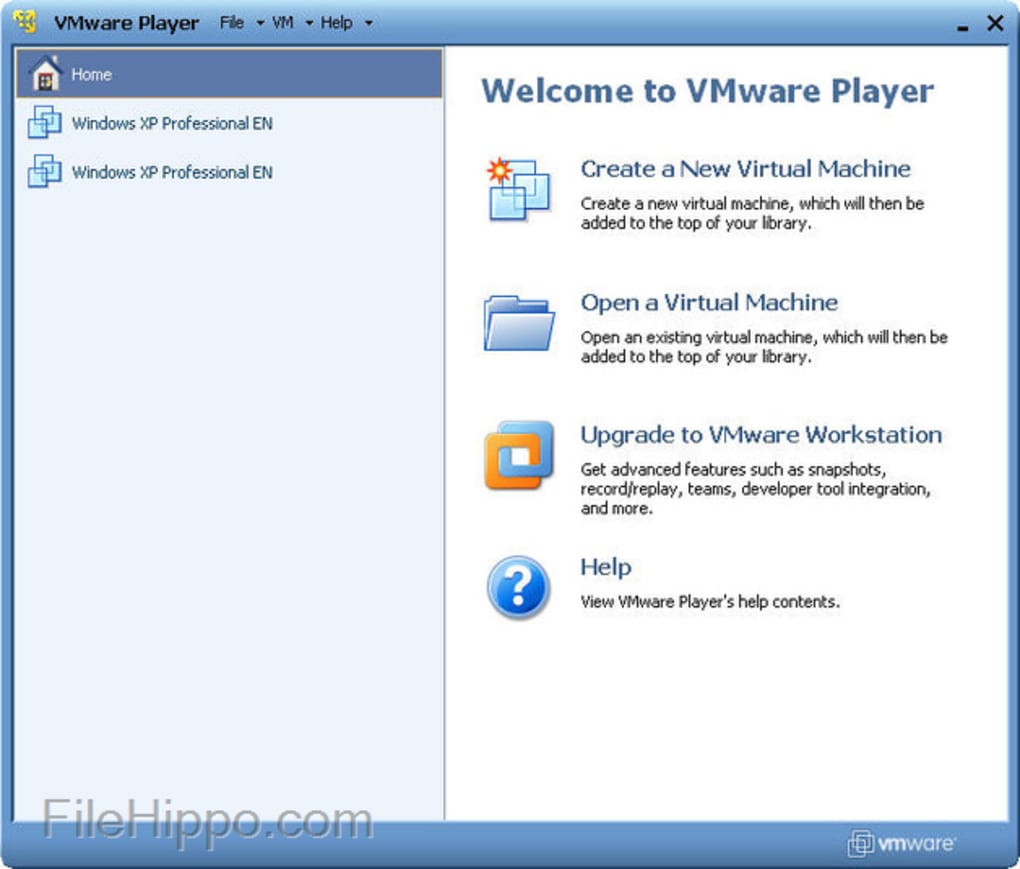
* New User Interface — Use the new user interface to create virtual machines and edit virtual machine settings.
* Windows 7 — Create and run Windows 7 32-bit and 64-bit virtual machines using VMware Workstation. VMware Workstation has been enhanced for performance and to take advantage of the new Windows 7 features including Live Thumbnails and Aero Peek.
* Aero Glass — A new Windows Display Driver Model (WDDM) graphics driver has been developed for Windows Vista and Windows 7 virtual machines. The WDDM driver can display the Windows Aero user interface, OpenGL 1.4, and Shader Model 3.0. For more information on the VMware recommended graphics hardware, see the VMware Workstation User's Manual.
* Windows XP Mode Compatible — Import a Windows XP Mode virtual machine using VMware Player 3.0 and run the virtual machine without being prompted to enter a Windows XP license key. VMware Player enables the Windows XP Mode virtual machine to take advantage of more than one processor, render high-end graphics, integrate seamlessly with Unity, and transfer files easily with drag and drop, and shared folders. VMware Player also has the ability to run concurrently with Windows XP Mode.
* 3D Graphics Improvements for Windows XP guests — OpenGL 2.1 and Shader Model 3.0 support is now available for Windows XP virtual machines. The XPDM (SVGAII) graphics driver works with Windows XP, Windows Vista, and Windows 7. However, only Windows XP virtual machines install the XPDM graphics driver by default. To switch graphics drivers in the guest operating system, see How to Switch Between SVGAII and WDDM Drivers.
* Multiple-Monitor Display — Virtual machines can now take advantage of multiple monitors.
* Advanced Linux Sound Architecture (ALSA) — ALSA significantly improves the sound of virtual machines running on a Linux host and streams the audio from each virtual machine on a separate channel so that multiple virtual machines can be heard simultaneously.
* Drag and Drop Enhancements — Drag and drop enhancements include support for new file types including images and formatted text and extend the existing ability to drag and drop files to a broader set of guest and host operating systems.
* On-Demand VMware Tools Download — On-demand download capability provides the latest VMware Tools for the guest operating system. This feature reduces the overall download size of VMware products by downloading only the required set of VMware Tools and and enables VMware to release new versions frequently.
* Virtual Printing — Print from virtual machines without mapping network printers or installing printer drivers in the virtual machine. With virtual printing enabled in the virtual machine setting, all of the printers installed on the host operating system are available in the guest operating system. This functionality is enabled through a partnership with ThinPrint, Inc.
* VIX API for VMware Player — Software vendors can use the VIX functionality to add their own interface to the VMware Player menu bar.
# New Features in VMware Player
* Virtual Machine with Easy Install — Create a virtual machine and install any supported guest operating system with Easy Install.
* New User Interface — Use the new user interface to create virtual machines and edit virtual machine settings.
* Windows 7 — Create and run Windows 7 32-bit and 64-bit virtual machines using VMware Workstation. VMware Workstation has been enhanced for performance and to take advantage of the new Windows 7 features including Live Thumbnails and Aero Peek.
* Aero Glass — A new Windows Display Driver Model (WDDM) graphics driver has been developed for Windows Vista and Windows 7 virtual machines. The WDDM driver can display the Windows Aero user interface, OpenGL 1.4, and Shader Model 3.0. For more information on the VMware recommended graphics hardware, see the VMware Workstation User's Manual.
* Windows XP Mode Compatible — Import a Windows XP Mode virtual machine using VMware Player 3.0 and run the virtual machine without being prompted to enter a Windows XP license key. VMware Player enables the Windows XP Mode virtual machine to take advantage of more than one processor, render high-end graphics, integrate seamlessly with Unity, and transfer files easily with drag and drop, and shared folders. VMware Player also has the ability to run concurrently with Windows XP Mode.
* 3D Graphics Improvements for Windows XP guests — OpenGL 2.1 and Shader Model 3.0 support is now available for Windows XP virtual machines. The XPDM (SVGAII) graphics driver works with Windows XP, Windows Vista, and Windows 7. However, only Windows XP virtual machines install the XPDM graphics driver by default. To switch graphics drivers in the guest operating system, see How to Switch Between SVGAII and WDDM Drivers.
* Multiple-Monitor Display — Virtual machines can now take advantage of multiple monitors.
* Advanced Linux Sound Architecture (ALSA) — ALSA significantly improves the sound of virtual machines running on a Linux host and streams the audio from each virtual machine on a separate channel so that multiple virtual machines can be heard simultaneously.
* Drag and Drop Enhancements — Drag and drop enhancements include support for new file types including images and formatted text and extend the existing ability to drag and drop files to a broader set of guest and host operating systems.
* On-Demand VMware Tools Download — On-demand download capability provides the latest VMware Tools for the guest operating system. This feature reduces the overall download size of VMware products by downloading only the required set of VMware Tools and and enables VMware to release new versions frequently.
* Virtual Printing — Print from virtual machines without mapping network printers or installing printer drivers in the virtual machine. With virtual printing enabled in the virtual machine setting, all of the printers installed on the host operating system are available in the guest operating system. This functionality is enabled through a partnership with ThinPrint, Inc.
* VIX API for VMware Player — Software vendors can use the VIX functionality to add their own interface to the VMware Player menu bar.
Related Software
Copy the following code to link to this page:
EN
NetBeans IDE 7.3.1
Python 3.3.2
Virtual PC 2007 SP1
SQL Server 2012 Express
VirtualBox 4.2.12.84980
TortoiseSVN 1.7.13

![Scientists are getting very close to creating an actual invisibility cloak, as separate research teams over the past week have revealed significant advancements in the area. From an invisibility cloak scaled up to be able to hide a person to a quantum invisibility cloak that can hide objects in time, there is no better moment for fans of H.G. Wells and the Harry Potter franchise than this one. The invisibility cloak that uses time was designed by Purdue University scientists. Unlike the spatial cloak we all saw in Harry Potter, this device uses time cloaking, a relatively new concept based on the idea that in some places in time, the things that happen are not picked up. Since nobody can tell that these things occurred, it’s like they never happened. The concept still has a long way to go before it turns into reality, although scientists have been able to cloak small electrical signals so far. The technology may be difficult to grasp, yet researchers think that if successful , it will be a major breakthrough in making quantum information computing and storage very successful. Another research team, meanwhile, detailed how to make an invisibility cloak to hide large objects, including a person. The New York University of Rochester scientists used a conventional arrangement of lenses and mirrors to drive the light around the area they want to hide from view. The human-scale cloak also manages the impressive feat of hiding items across the entire optical range. But it still faces one major problem: that is only works in one direction, which means the hidden object becomes visible if the viewpoint changes. Nonetheless, this large-scale cloak could be successfully used to hide satellites in orbit and other huge objects. And a Shanghai-based team of researchers unveiled another invisibility cloak which they claim can be adjusted to make items invisible from any line of sight. The scientists demonstrated the cloak by making a pet goldfish and a cat disappear. According to the Chinese team, the device may have important applications in security, surveillance and entertainment. http://www.youtube.com/watch?v=YNO9-DYCi2U With all the new ideas and research, it seems we will see an actual invisibility cloak in use very soon. What do you think of this technology? What would you do if you had your very own invisibility cloak? [Image via Mental floss]](http://cdn.techbeat.com/wp-content/uploads/2013/06/invisibility-harry-120x80.jpg)