|
FeedReader 3.06FeedReader - 3.68MB (Freeware) |
- Opening folders is instant now. In previous versions FR always updated unread counts if folder was opened
- Feedreader is more responsive then updating feeds.
- Feedreader now memorizes opened folders. So you can have multiple folders open and on next startup they will also be open.
- New state of feed available. If there are new items since last time you opened feed, it's icon will have small star in it.
- Feedreader now defaults to one feed update process.If you want multiple feed update processes then it's possible to change this in program connection options.
- Progress is visible when feed update is active.
- If sending article by email all recipient addresses will be saved during the session (easy to send another article to same recipient)
- If emailstyle.xsl exists in stylesheet folder then it's used as style when sending articles by email.
- New options in notification window (how long notification window is displayed and also possibility to use fade in and out in notification window).
- Possibility to mark all news in notification window as read.
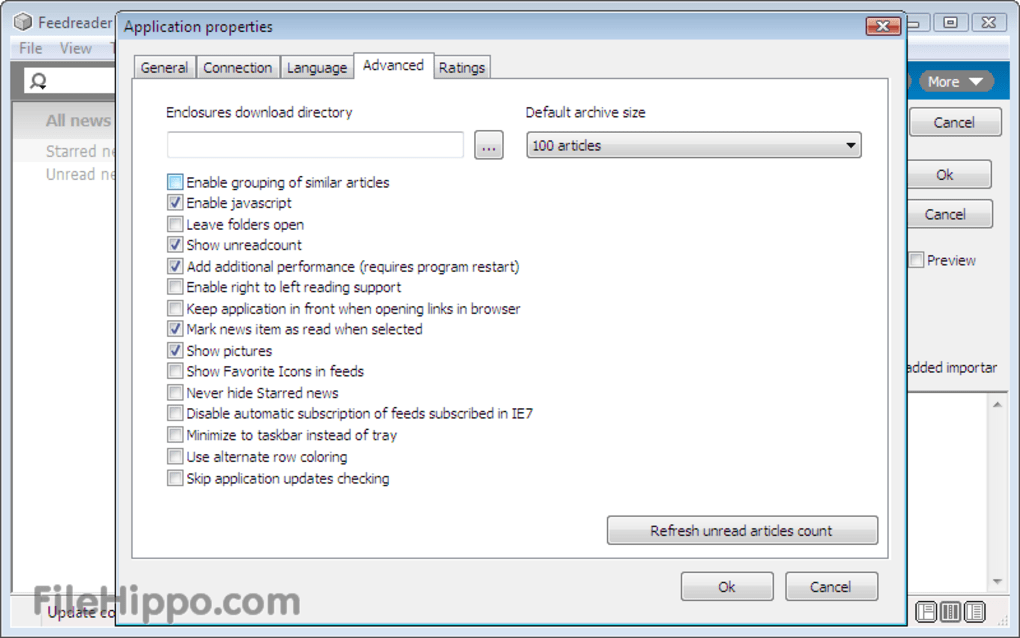
- Possibility to turn off automatic marking of newsitem read then viewing it. If you turn of automatic marking then you can use keyboard shortcut Control+q to mark article(s) read.
- New feedreader.ini setup string : dbdirectory=???. If you would like to store main database in some other folder then you can use this definition to tell Feedreader where your database is located
- Fixed bug - Google Mail Atom feed does not work.
- Fixed bug - In earlier versions you just could not create really advanced filters (multiple levels). Now it should be possible
- Fixed bug - Now it's possible to use unicode characters in smartfeed definitions.
- Fixed multiple bugs - Unread count calculating.
- Fixed multiple bugs Memory leaks.
- Feedreader is more responsive then updating feeds.
- Feedreader now memorizes opened folders. So you can have multiple folders open and on next startup they will also be open.
- New state of feed available. If there are new items since last time you opened feed, it's icon will have small star in it.
- Feedreader now defaults to one feed update process.If you want multiple feed update processes then it's possible to change this in program connection options.
- Progress is visible when feed update is active.
- If sending article by email all recipient addresses will be saved during the session (easy to send another article to same recipient)
- If emailstyle.xsl exists in stylesheet folder then it's used as style when sending articles by email.
- New options in notification window (how long notification window is displayed and also possibility to use fade in and out in notification window).
- Possibility to mark all news in notification window as read.
- Possibility to turn off automatic marking of newsitem read then viewing it. If you turn of automatic marking then you can use keyboard shortcut Control+q to mark article(s) read.
- New feedreader.ini setup string : dbdirectory=???. If you would like to store main database in some other folder then you can use this definition to tell Feedreader where your database is located
- Fixed bug - Google Mail Atom feed does not work.
- Fixed bug - In earlier versions you just could not create really advanced filters (multiple levels). Now it should be possible
- Fixed bug - Now it's possible to use unicode characters in smartfeed definitions.
- Fixed multiple bugs - Unread count calculating.
- Fixed multiple bugs Memory leaks.
Latest updates
- 09 Feb 10 -
Cabos 0.8.2 - 09 Feb 10 -
Evernote 3.5.1.1410 - 09 Feb 10 -
Ares 2.1.5 - 09 Feb 10 -
WindowBlinds 7.0.1 - 08 Feb 10 -
Avant Browser 11.7 Build 45
Copy the following code to link to this page:
DownloadThis Version
3.68MB